How to Read Verbose Output
This guide explains how to read CVE Lite CLI verbose output quickly and turn it into next actions.
Use this command:
npx cve-lite-cli /path/to/project --verbose --all
The screenshots below use a real OWASP Juice Shop scan.
1) Start with the summary
The top of verbose output tells you how much risk you are dealing with and where it sits.
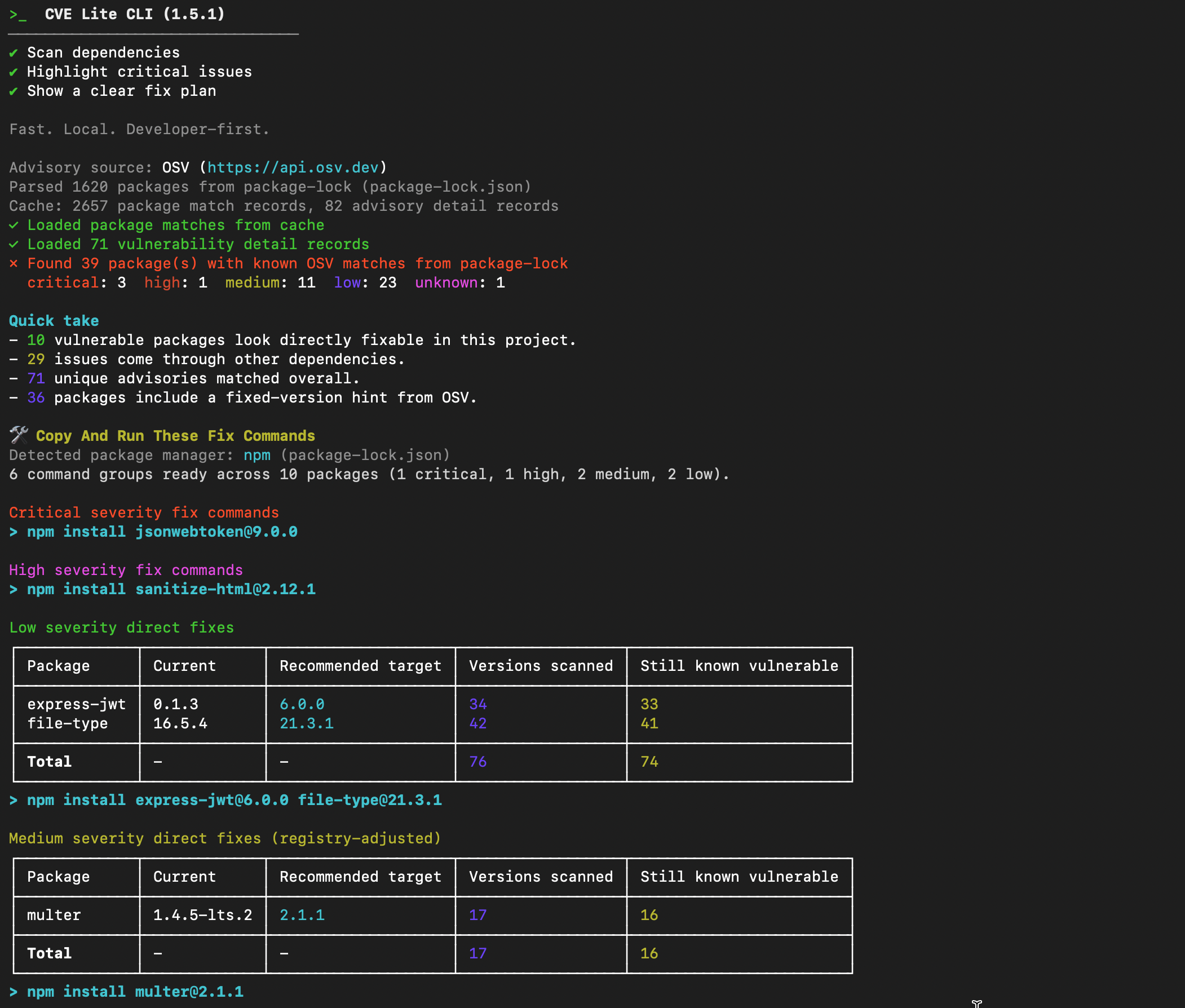
What to read first:
- severity totals (
critical,high,medium,low) - direct vs transitive split in
Quick take - unique advisories count
What to do next:
- if
criticalorhighis non-zero, move straight toCopy And Run These Fix Commands
2) Use command groups for first-pass fixes
Verbose mode groups runnable commands by severity and fix type.
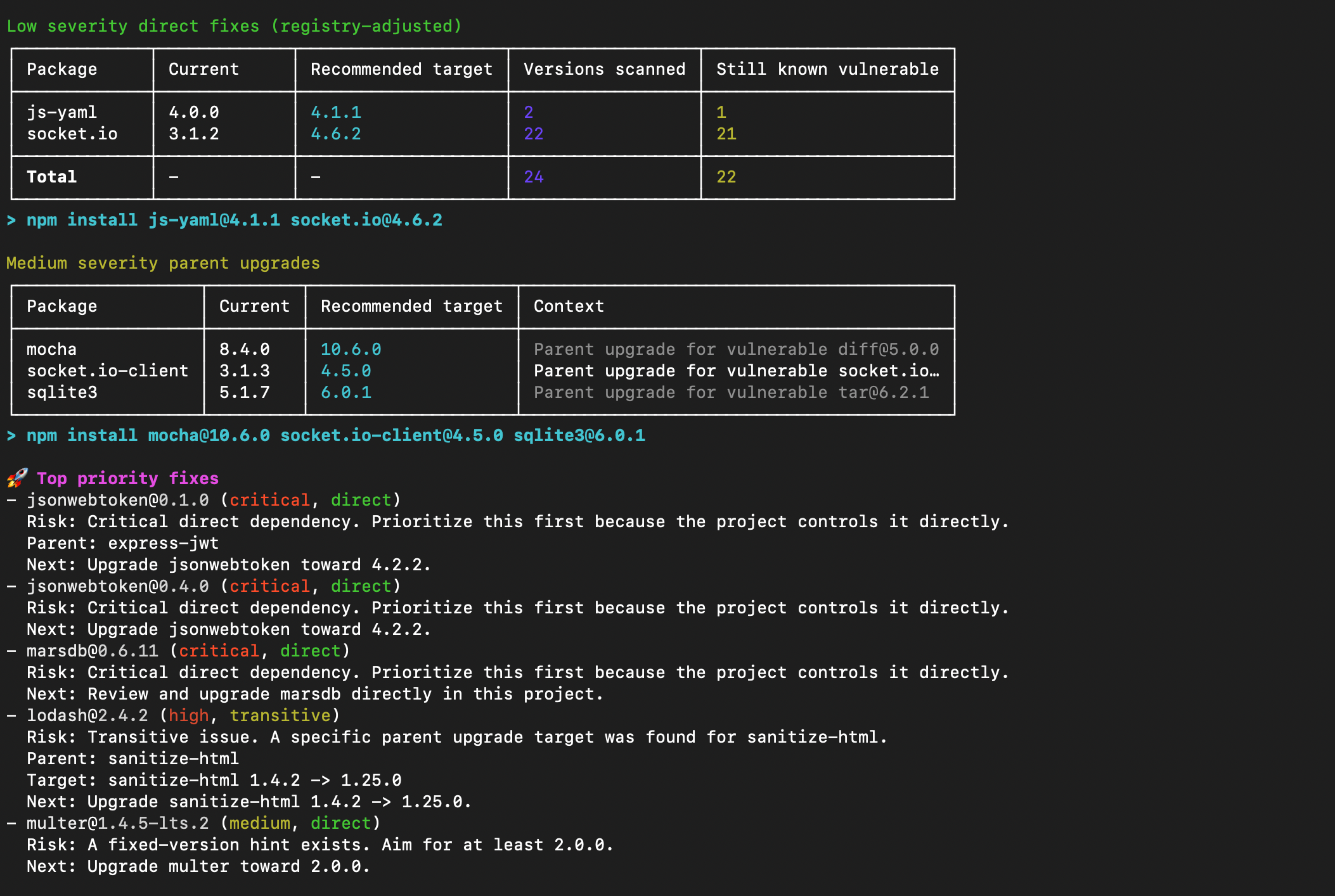
How to use this section:
- run critical/high command groups first
- run direct fix groups next
- rescan after each command group
Why this helps:
- you avoid manual package-by-package trial and error
- you get package-manager-native commands ready to copy and run
3) Use suggested fix plan as execution order
The suggested fix plan gives a remediation sequence so teams can execute in order instead of jumping between findings.
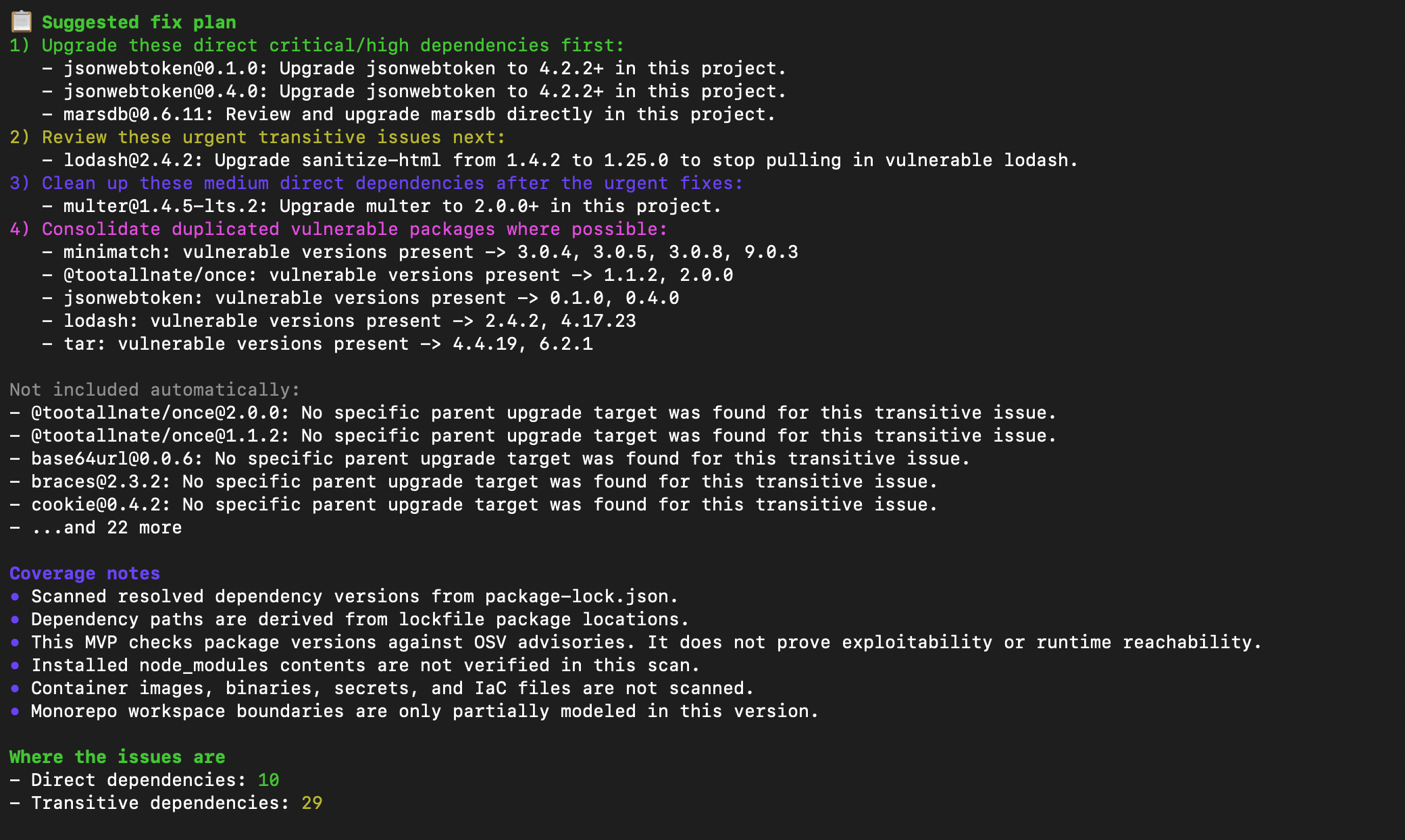
How to interpret:
Usage: how many source files import the vulnerable dependency (requires--usageflag)Versions scanned: candidate versions checked above currentStill known vulnerable: versions rejected because they remained vulnerableBreaking?: flagged with a⚠if the recommended target is a major version bump and may introduce breaking changes
What this means:
- higher scanned/excluded counts usually mean the tool saved repeated install-rescan cycles
4) Use the findings table for risk inventory
The main findings table is your full inventory of affected packages, severity, relationship type, fixed-version hints, and advisory IDs.
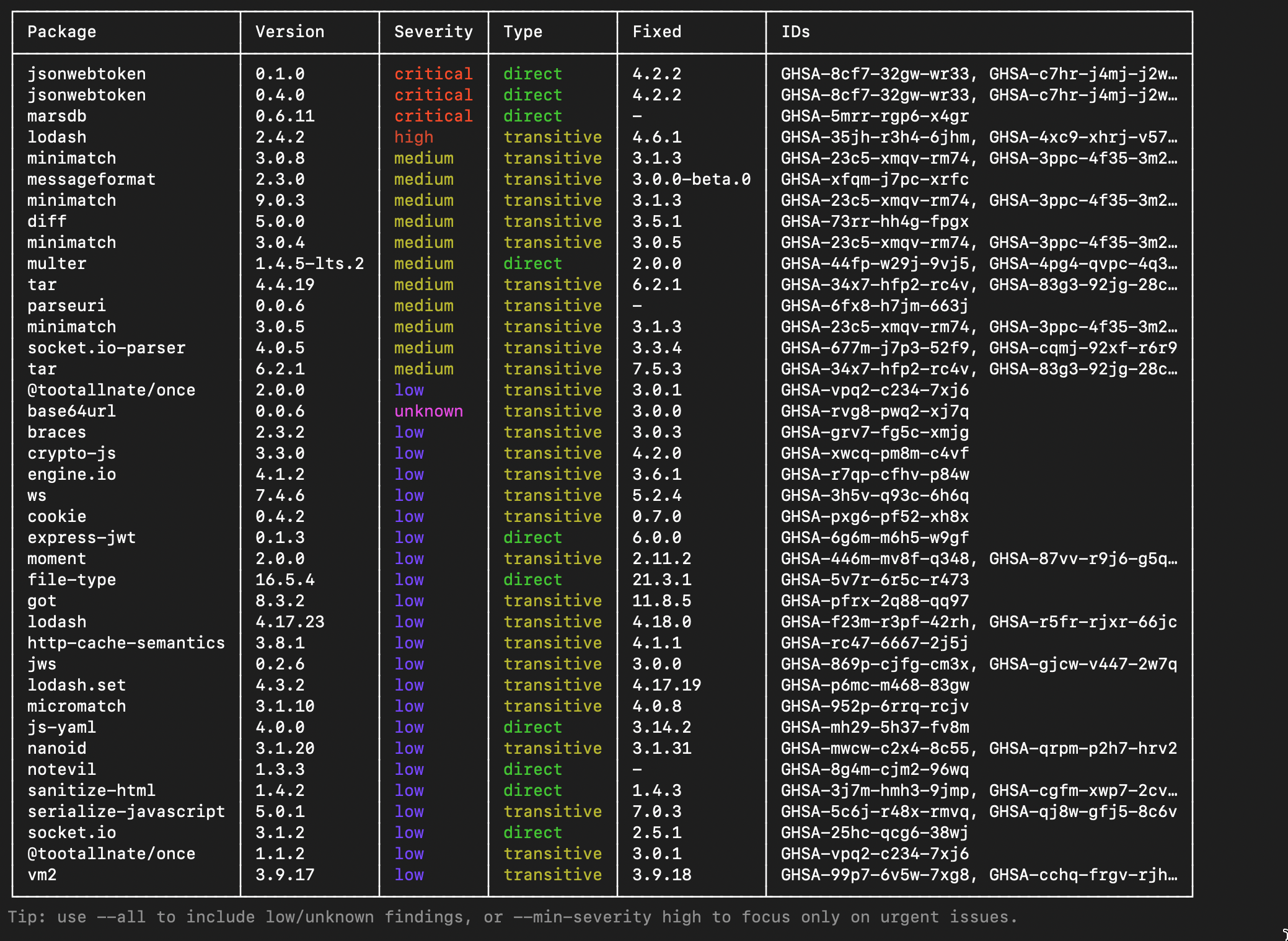
How to use this section:
- read
PackageandCurrentto understand what you control - use
Usageto quickly identify if the dependency is actually imported or just noise - use
Fixedto see what the safe target version is
5) Confirm dependency paths and parent upgrades
The dependency-path section is where you verify transitive chains and parent-upgrade direction.
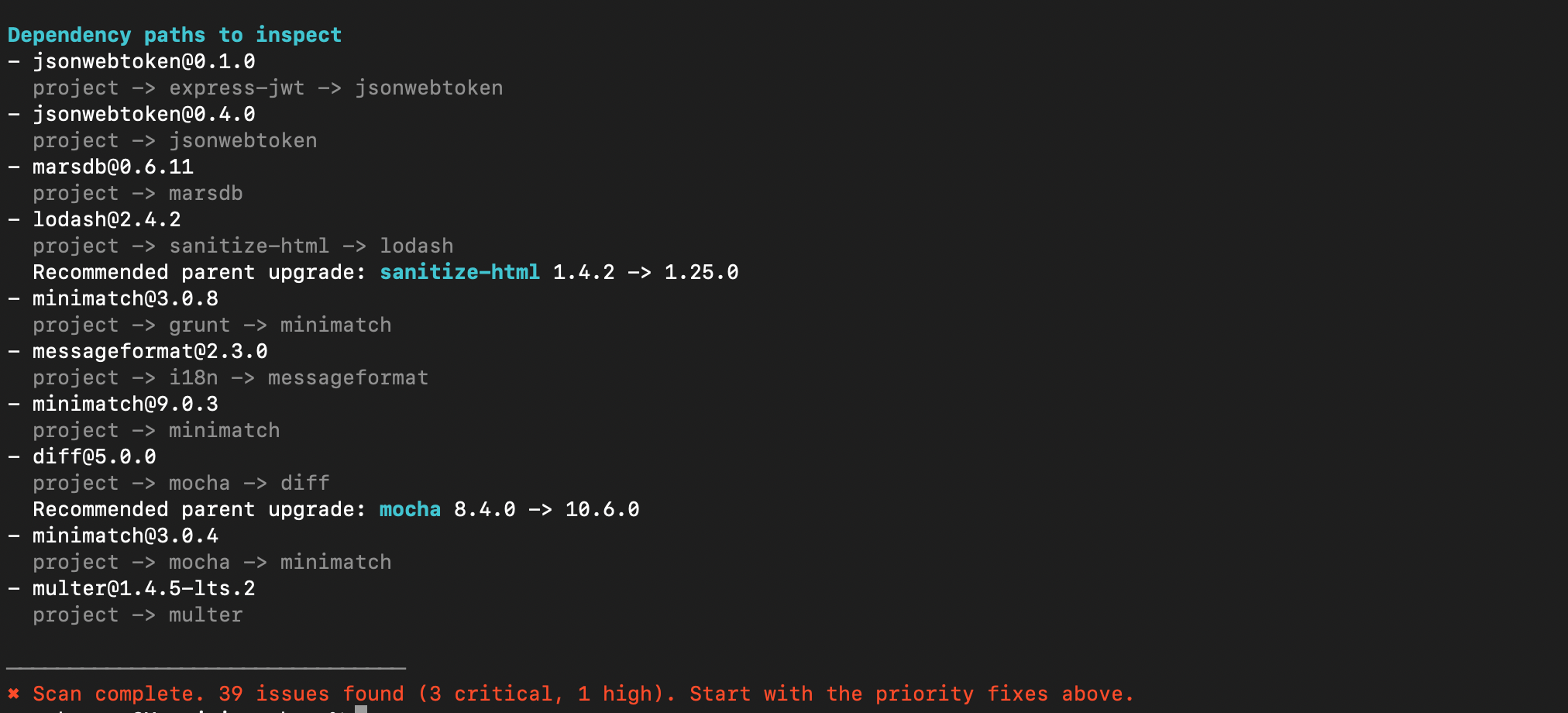
What to use:
Top priority fixes: urgency orderSuggested fix plan: staged remediation sequenceDependency paths to inspect: parent chain verification
10-minute workflow
- Run
--verbose --all. - Apply critical/high command groups.
- Apply direct command groups with validated targets.
- Apply parent-upgrade command groups for transitive paths.
- Rescan and repeat until urgent findings are reduced.
This approach keeps remediation practical: start with executable commands, then handle deeper dependency decisions with path context.