HTML Vulnerability Report (--report)
The --report flag generates a self-contained HTML dashboard from a scan. Results are written to a local directory and the report opens automatically in your browser when generation completes.
Screenshot
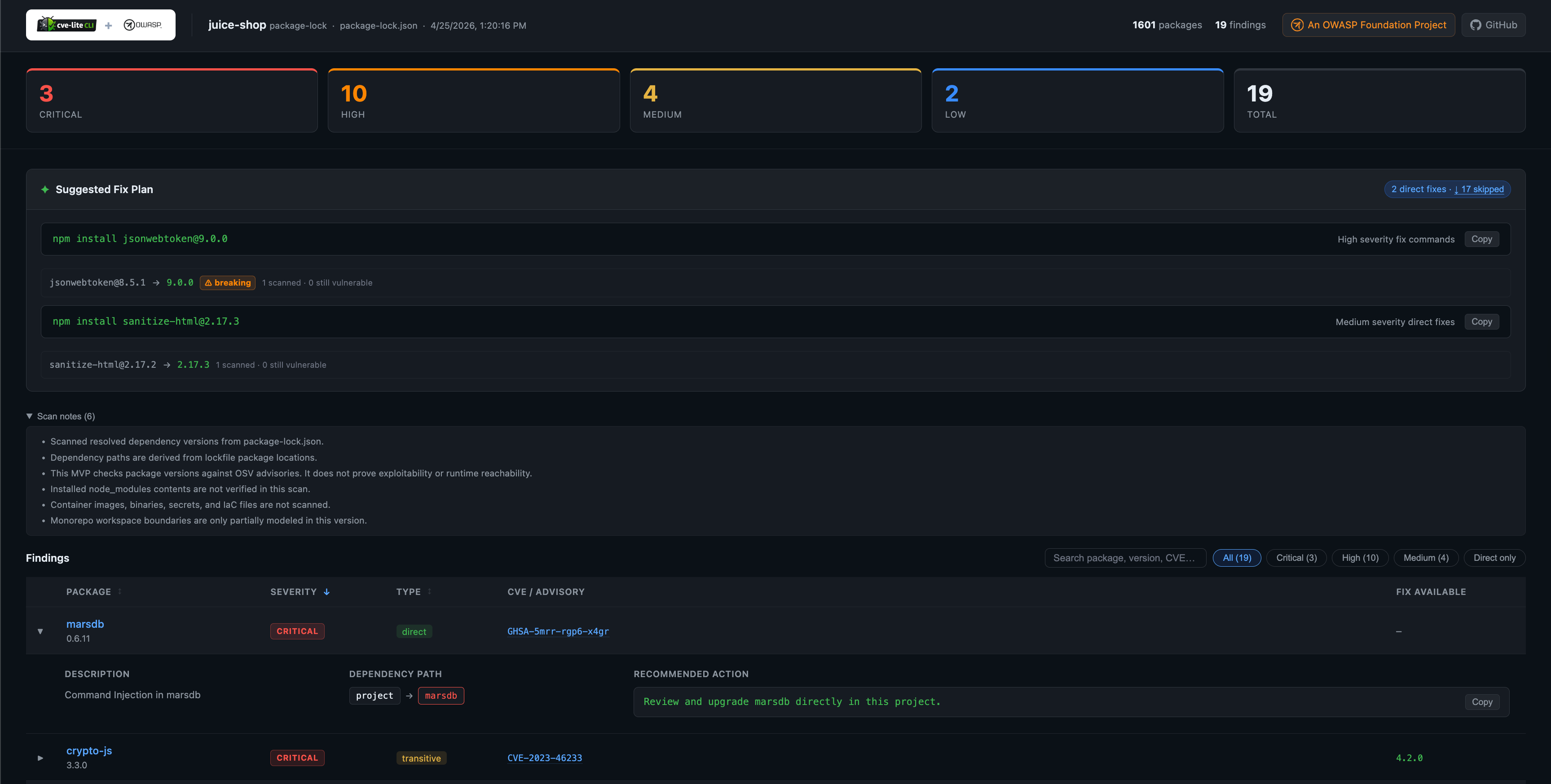
Generating a report
# Generate to the default directory (./cve-report/)
cve-lite /path/to/project --report

# Generate to a specific directory
cve-lite /path/to/project --report ./my-report

# Generate without auto-opening in the browser
cve-lite /path/to/project --report --no-open
Output files
The report writes two files to the output directory:
| File | Description |
|---|---|
index.html | Self-contained dashboard. Open in any browser — no server required. |
report.json | Machine-readable scan data in JSON format. |
Running --report to the same directory a second time overwrites both files.
What the report shows
Severity summary cards at the top give an immediate count for Critical, High, Medium, and Low findings alongside a total.
Suggested Fix Plan mirrors the terminal output: copy-ready package manager commands for your direct dependencies, grouped by severity. Skipped entries (transitive or no fix available) are listed in a collapsible section.
Findings table with interactive controls:
- Filter by severity or direct-only
- Expandable rows showing vulnerability description, contextual risk summary, next action, dependency path, and recommended action
- CVE / GHSA advisory IDs linked to osv.dev and GitHub Security Advisories
- Fix version shown inline when one is available
Options
| Flag | Default | Description |
|---|---|---|
--report [dir] | ./cve-report | Generate an HTML report in [dir]. Omit the path to use the default. |
--no-open | — | Skip auto-opening the report in the browser after generation. |
--report cannot be combined with --json.
Notes
- The report is fully self-contained: no CDN calls, no internet connection required to view it.
- The CVE Lite CLI logo is embedded as a Base64 data URI inside
index.html. - The report path is printed to the terminal at the end of the scan so it can be picked up by CI scripts or shared with teammates.