OWASP VulnerableApp
Break it. Scan it. Reproduce it. Benchmark against it. Improve it.
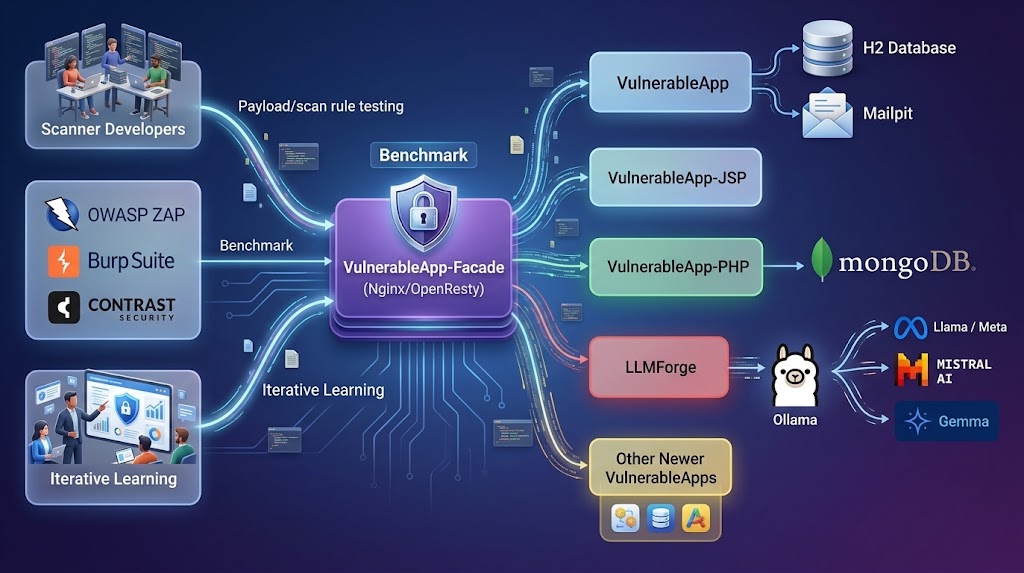
OWASP VulnerableApp is a modular deliberately vulnerable application designed primarily for validating and benchmarking security scanners through reproducible test scenarios, while also supporting learning and experimentation.
About OWASP VulnerableApp
Unlike traditional vulnerable applications, VulnerableApp is designed as a testable security ecosystem, not a static training app.
It enables:
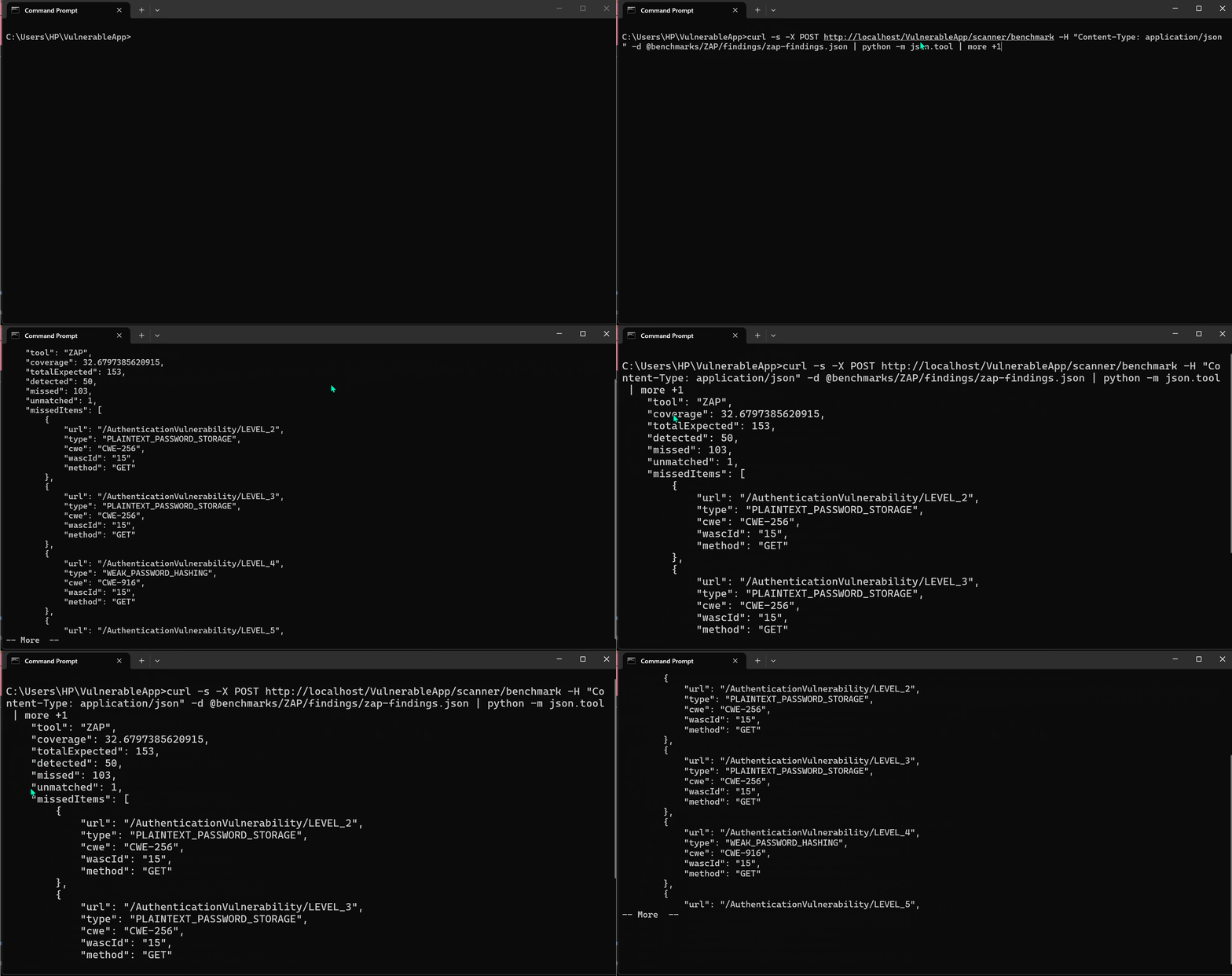
🔬 Scanner benchmarking for tools like Burp Suite, OWASP ZAP, and custom DAST engines
🧩 Modular vulnerability design that allows new scenarios without modifying core services
📊 Security regression testing across releases and environments
🎯 Realistic attack surface simulation for modern web application patterns
🧪 Deterministic vulnerability behavior for repeatable scanning results
🧠 Built for security engineers, researchers, and educators
VulnerableApp helps you:
Validate how security tools behave across known vulnerability patterns
Build controlled environments for security experimentation
Extend vulnerability coverage as new attack techniques emerge
Run consistent, repeatable security testing pipelines
⚙️ Why it matters
Most vulnerable apps are:
Static
Hard to extend
Designed only for manual learning
VulnerableApp is built for:
automation, reproducibility, and evolution
There are 2 ways to run the project:
1. The simplest way to run the project is using Docker containers which will run the full-fleged VulnerableApplication with all the components. For running as Docker application, follow following steps:
1. Download and Install [Docker Compose](https://docs.docker.com/compose/install/)
2. Clone this Github repository
3. Open the terminal and Navigate to the Project root directory
4. Run the command docker-compose pull && docker-compose up
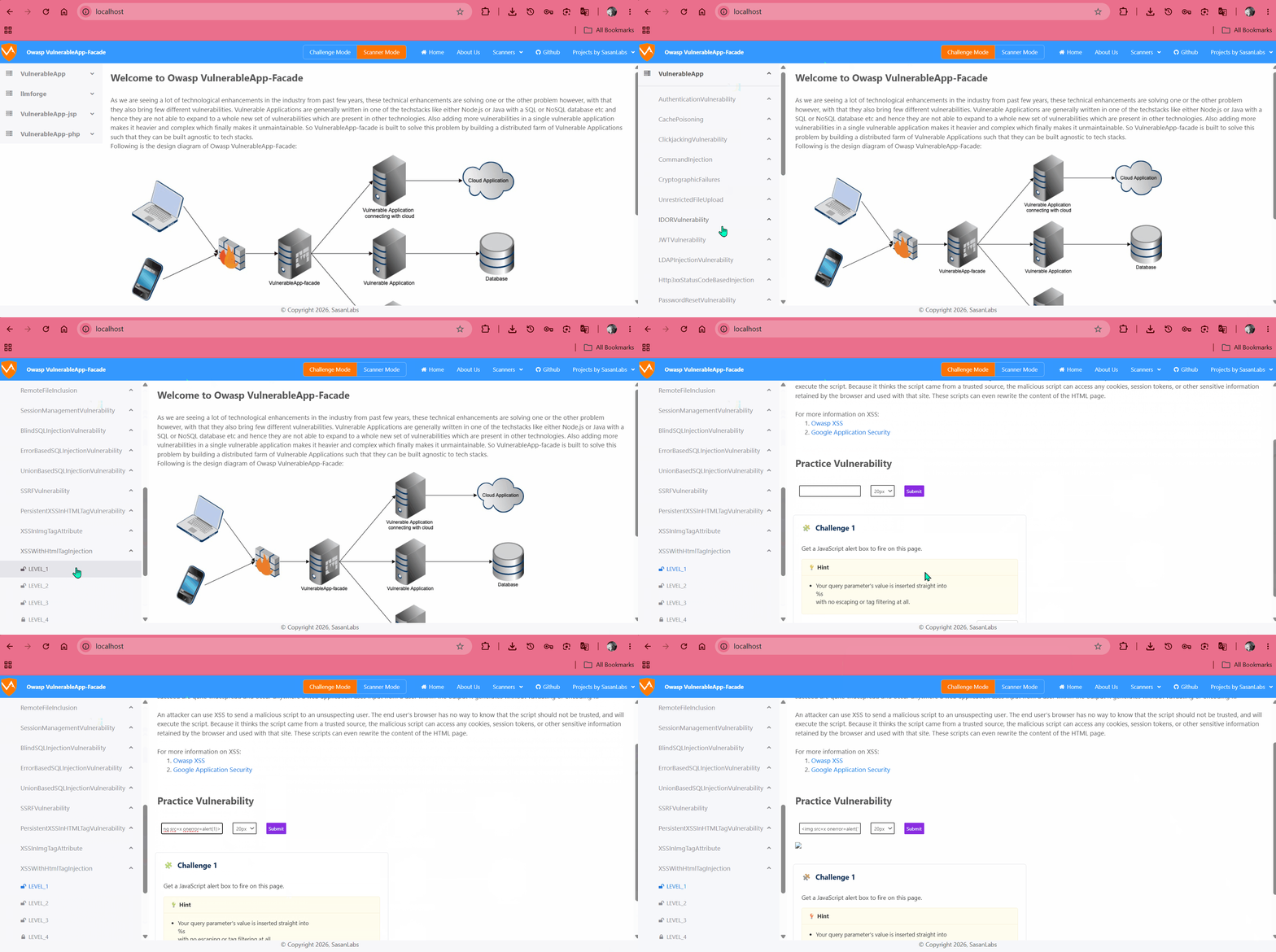
5. Navigate to browser and visit http://localhost and this will give the User Interface for VulnerableApp.
6. Mailpit is also available at http://localhost/mailpit/ for viewing emails captured by the local SMTP server.
Note: The above steps will run the latest unreleased VulnerableApp version. If you want to run the latest released version, please use docker latest tag.
2. Another way to run the VulnerableApp is as standalone Vulnerable Application is:
1. Navigate to [Releases Section](https://github.com/SasanLabs/VulnerableApp/releases) in github and download the Jar for the latest released version
2. Open the terminal and navigate to the project root directory
3. Run the command java -jar VulnerableApp-*
4. Navigate to browser and visit http://localhost:9090/VulnerableApp. This will give the Legacy User Interface for the VulnerableApp.
Project Resources
Project Information

 Slack
Slack