OWASP SAP Threat Modeling Builder
See how your SAP systems connect, spot links between production and non-production environments, and take a closer look at destinations with stored passwords.
About OWASP SAP Threat Modeling Builder
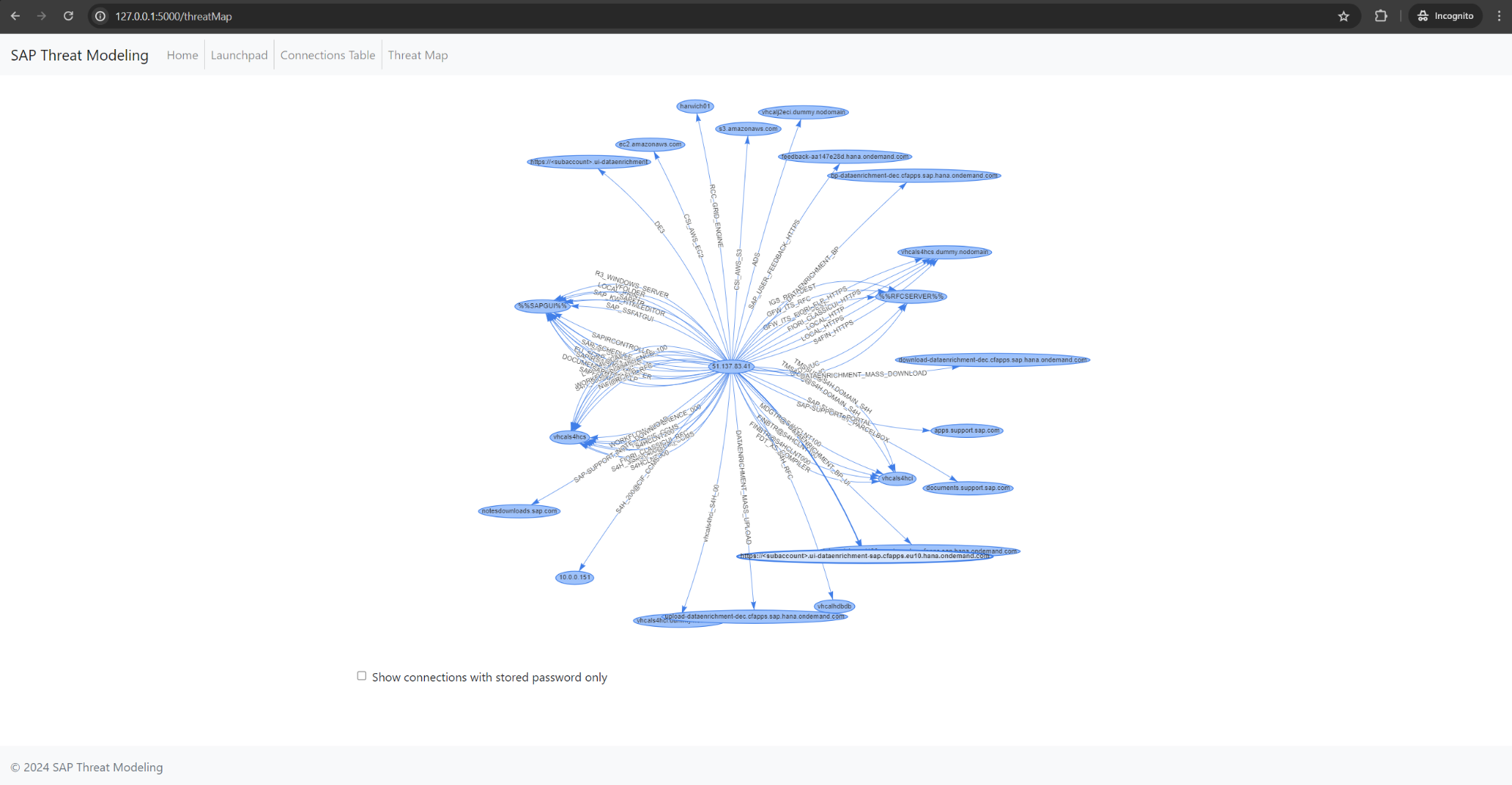
The graph shows how your SAP systems connect. Use the filter to show destinations with stored passwords.
When you manage several SAP systems, it can be hard to keep track of the connections between them. OWASP SAP Threat Modeling Builder brings those connections together in a graph and a table, so you can see what is connected and decide what needs a closer look.
You can use it to:
Scan for connections across multiple SAP systems.
Browse the graph or check individual connections in the table.
Show only destinations with stored passwords.
Find links between production and non-production systems.
The map gives your team a shared reference for security reviews and discussions about changes to your SAP environment.
Add the connection details for the SAP systems you want to review, then run a scan. Once it finishes, open the table to check the results or use the graph to see how the systems fit together.
If you want to look more closely at destinations with stored passwords, turn on the graph filter. You can also use the map to check whether production and non-production systems are connected as expected.
Read the setup guide for dependencies, SAP connectivity and instructions for running the application locally. The repository also includes a Docker image.
The tool is intended for development and testing. Before using it in production, check whether its setup and handling of data meet your requirements.
SAP credentials are stored in a local SQLite database. Protect that file and limit access to the application and its connection data to people who need it.
A connection on the map is a reason to take a closer look. Use what you find to guide your review of the systems involved.
If you find a bug, have an idea, or run into something the documentation does not explain, we would like to hear about it.
Open an issue with enough detail for someone else to follow what happened. You can also contribute code, improve the setup instructions, or share how you use the tool.
Visit the project on GitHub to get involved.
Project Resources
Project Leaders
Vahagn Vardanian
Project Leader
Project Information

 Slack
Slack