Incident Response Playbook
Incident Response Playbook
This guide provides step-by-step procedures for responding to AI agent skill security incidents, from initial detection through full recovery.
Incident Types & Severity Levels
Severity Classification
CRITICAL (Red)
- Active exploitation in production
- Mass deployment of malicious skills
- Data exfiltration confirmed
- System compromise in progress
- Response time: 1 hour
HIGH (Orange)
- Confirmed malicious skill found
- Potential widespread exposure
- Vulnerability affecting many users
- Active campaign detected
- Response time: 4 hours
MEDIUM (Yellow)
- Suspicious skill behavior detected
- Potential vulnerability identified
- Limited user impact
- Investigation needed
- Response time: 1 business day
LOW (Blue)
- Minor security finding
- No immediate risk
- Policy violation
- Documentation issue
- Response time: 1 week
Incident Response Workflow
Detect
  ↓
Analyze & Classify
  ↓
Notify Stakeholders
  ↓
Contain & Mitigate
  ↓
Investigate
  ↓
Remediate
  ↓
Communicate
  ↓
Post-Incident Review
Playbook 1: Malicious Skill Discovery
Scenario
A malicious skill has been discovered in a registry.
Detection Indicators
- ✓ Automated scanner flags on installation
- ✓ User reports suspicious behavior
- ✓ Manual security review finds issues
- ✓ Threat intelligence indicates compromise
- ✓ Unusual network activity detected
Step 1: Initial Response (Immediate - 15 minutes)
1.1 Confirm Detection
# Verify skill details
skill_id="suspicious-skill-123"
platform="openclap"

# Pull skill metadata
curl -s https://api.${platform}.dev/skills/${skill_id} | jq .

# Check download statistics
curl -s https://api.${platform}.dev/skills/${skill_id}/stats | jq .

# Review recent reviews/reports
curl -s https://api.${platform}.dev/skills/${skill_id}/reports | jq .
1.2 Create Incident Ticket
Incident: Malicious Skill Discovery
ID: INC-2026-0001
Severity: HIGH
Skill ID: suspicious-skill-123
Platform: OpenClaw
Discovered: 2026-03-22T10:30:00Z
Reported By: Security Team
Status: OPEN
1.3 Assemble Response Team
- Security Engineer (Lead)
- Platform Administrator
- Threat Intelligence Analyst
- Communications Officer
- Legal/Compliance (if needed)
Step 2: Analysis & Classification (30 minutes)
2.1 Analyze Skill Content
# Automated analysis
from ast10_scanner import SkillAnalyzer

analyzer = SkillAnalyzer()

skill_content = download_skill('suspicious-skill-123')
analysis = analyzer.comprehensive_scan(skill_content)

# Check findings
for finding in analysis.vulnerabilities:
    if finding.severity == 'critical':
        print(f"CRITICAL: {finding.description}")
        print(f"Evidence: {finding.evidence}")
2.2 Determine Maliciousness
Indicators of Compromise:
- Obfuscated or encoded payloads
- Unauthorized data exfiltration attempts
- Command injection patterns
- Credential harvesting code
- Communication to known C2 servers
- Process modification/persistence
- Lateral movement attempts
2.3 Classify Incident
Type: MALWARE
Subtype: Information Stealer
TTPs: Credential Harvesting, Data Exfiltration
Severity: CRITICAL
Estimated Impact: 12,400+ installations
Step 3: Notification & Escalation (30 minutes)
3.1 Notify Internal Teams
TO: Security Operations Center
CC: Executive Team, Legal
PRIORITY: CRITICAL

Subject: CRITICAL - Malicious Skill Found: [skill-id]

Details:
- Skill ID: suspicious-skill-123
- Downloads: 12,400+
- Type: Information Stealer
- Confidence: 95%
- Status: Under Investigation

Actions Initiated:
- Skill flagged for removal
- Platform notifications queued
- Incident response activated
3.2 Notify Platform Operators
Affected Platforms: OpenClaw, Claude Code
Urgency: IMMEDIATE ACTION REQUIRED

The following skill has been identified as malicious:
- ID: suspicious-skill-123
- Classification: Critical Malware
- Estimated Impact: 12,400+ affected users
- Recommended Action: Immediate removal

We request:
1. Immediate skill removal from registry
2. User notifications
3. Download halt
4. User support coordination
Step 4: Containment & Mitigation (1 hour)
4.1 Remove Malicious Skill
# Platform-specific removal
# OpenClaw
claw skill remove suspicious-skill-123 --force --reason "CRITICAL: Malware discovered"

# Claude Code
claude skill remove suspicious-skill-123 --emergency

# Cursor
cursor skill revoke suspicious-skill-123 --immediate

# VS Code
vsce withdraw suspicious-skill-123 --force
4.2 Issue User Alerts
Alert Template:
SECURITY ALERT: Malicious Skill Detected

A skill you may have installed has been identified as malicious:

Skill Name: [name]
Skill ID: suspicious-skill-123
Download Date: [optional]
Risk: HIGH

Actions You Should Take:
1. Uninstall the skill immediately
2. Reset any API keys or credentials
3. Check your data for unauthorized access
4. Report if you've noticed suspicious activity

Steps to Uninstall:
[Platform-specific instructions]

Questions? Contact: [email protected]
4.3 Block Installation
Quarantine Rule:
- Skill ID: suspicious-skill-123
- Reason: Malware detection
- Scan Result: 95% confidence malicious
- Action: Block installation
- Duration: Permanent until reviewed
Step 5: Investigation (2-4 hours)
5.1 Detailed Analysis
# Extract skill components
unzip skill-archive.zip -d /tmp/skill-analysis

# Static analysis
ast10-scan /tmp/skill-analysis --detailed

# Check for obfuscation
entropy-check /tmp/skill-analysis
string-analysis /tmp/skill-analysis

# Network analysis
grep -r "http\|dns\|socket" /tmp/skill-analysis
5.2 Build Indicators of Compromise
{
  "iocs": [
    {
      "type": "domain",
      "value": "malicious.example.com",
      "confidence": "high"
    },
    {
      "type": "ip_address",
      "value": "192.0.2.1",
      "confidence": "high"
    },
    {
      "type": "file_hash",
      "value": "abc123def456...",
      "confidence": "very_high"
    }
  ]
}
5.3 Determine Scope & Timeline
Timeline:
- 2026-01-15: Skill created
- 2026-01-20: First downloads (23 users)
- 2026-02-10: Downloaded 1,200 times
- 2026-03-01: Peak downloads (8,400 total)
- 2026-03-22: Malicious behavior reported

Affected Users: ~12,400
Geographical Distribution: Global
Platforms: OpenClaw (primary), Claude Code (secondary)
Step 6: Remediation (1-3 days)
6.1 User Support
Support Actions:
- [ ] Create FAQ page
- [ ] Set up dedicated support phone line
- [ ] Email affected users with remediation steps
- [ ] Provide credential reset assistance
- [ ] Monitor for follow-up incidents

Resources:
- Credential reset guide: [link]
- FAQ: [link]
- Emergency support: 1-800-SECURITY
6.2 System Cleanup
For affected users:
# Step 1: Stop all agents
systemctl stop agent-service

# Step 2: Remove malicious skill
rm -rf ~/.agent/skills/suspicious-skill-123

# Step 3: Clear caches
rm -rf ~/.agent/cache/*

# Step 4: Reset credentials
generate-new-api-keys

# Step 5: Restart agents
systemctl start agent-service

# Step 6: Verify clean state
agent-security-check
6.3 Infrastructure Hardening
Post-Incident Hardening:
- [ ] Increase automated scanning sensitivity
- [ ] Add skill behavior monitoring
- [ ] Implement stricter code review
- [ ] Deploy behavioral analysis
- [ ] Add user activity monitoring
- [ ] Implement 2FA for publisher accounts
Step 7: Communication (Ongoing)
7.1 Public Statement (Template)
# Security Incident: Malicious Skill Removal

## What Happened
On March 22, 2026, our security team identified a malicious skill
in the OpenClaw registry designed to steal user credentials.

## Impact
- 12,400 installations
- 0 confirmed credential thefts detected
- All affected installations removed

## Actions Taken
- Immediately removed skill from all registries
- Notified all users
- Enhanced detection systems
- Provided remediation guidance

## What You Should Do
1. Check if you installed "suspicious-skill-123"
2. Uninstall if present
3. Reset credentials as precaution
4. Keep software updated

## Timeline
[Detailed timeline of discovery and response]

## Questions?
Contact: [email protected]
7.2 Status Updates
- Hour 1: Initial notification
- Hour 4: Removal complete notification
- Day 1: Detailed incident report
- Week 1: Post-incident review complete
- Month 1: Preventive measures deployed
Step 8: Post-Incident Review (1 week)
8.1 Blameless Postmortem
# Incident Postmortem: Malicious Skill INC-2026-0001

## Timeline
[Detailed timeline with all actions]

## Detection Analysis
- How did we detect it?
- Could we have detected earlier?
- What were the warning signs?

## Response Analysis
- What worked well?
- What could be improved?
- Was communication effective?

## Root Cause
[Understanding of how malicious skill was published]

## Preventive Actions
1. [Action to prevent recurrence]
2. [Action to detect faster]
3. [Action to contain better]

## Lessons Learned
[Key insights from incident]
8.2 Process Improvements
Improvements Implemented:
- [ ] Automated behavioral analysis for all skills
- [ ] Real-time threat intelligence integration
- [ ] Enhanced code review procedures
- [ ] Publisher account security hardening
- [ ] User notification automation
- [ ] Faster skill removal workflows
Playbook 2: Data Breach via Skill
Scenario
A skill has been used to exfiltrate sensitive user data.
Response Priorities
- Immediate (15 min): Stop data flow, notify affected users
- Urgent (1 hour): Contain scope, preserve evidence
- Short-term (1 day): Notify authorities, support users
- Medium-term (1 week): Full investigation, remediation
- Long-term (1 month): Prevention, lessons learned
Critical Actions
# 1. Stop exfiltration
firewall-rule --block destination=attacker-ip --priority=critical

# 2. Isolate affected systems
agent shutdown --affected-users=[list]

# 3. Preserve logs
backup-logs --critical-only /data/incidents/inc-2026-0001

# 4. Revoke compromised credentials
revoke-credentials --all-affected-users

# 5. Notify users
send-incident-notification --template=data_breach --recipients=[list]
Regulatory Compliance
- Notify regulators within required timeframe (typically 72 hours)
- Consult legal team
- Prepare regulatory notifications
- Document all steps for audit
Playbook 3: Supply Chain Attack Detection
Scenario
Compromised dependencies could propagate malware.
Detection Process
1. Scan dependency tree
2. Check each dependency's integrity
3. Verify signatures
4. Check for known vulnerabilities
5. Analyze behavioral changes
Response
1. Isolate affected versions
2. Notify dependent skills
3. Provide patched versions
4. Update threat intelligence
5. Communicate to users
Escalation Contacts
Internal Escalation
- Level 1: Security Team Lead
- Level 2: CISO
- Level 3: Executive Team / Board
External Notification
- Platforms: [email protected]
- Media: [email protected]
- Users: [email protected]
Incident Support
- 24/7 Incident Hotline: [Number]
- Email: [email protected]
- Chat: #incidents on Slack
Resources & Templates
Playbooks updated: March 2026. Review quarterly and after each major incident.
Example
Put whatever you like here: news, screenshots, features, supporters, or remove this file and don’t use tabs at all.
Leadership & Founding Members
Project Leadership
Current Leaders

Ken Huang



Hammad Atta

Fabio Cerullo

Aonan Guan

Bhavya Gupta

Niv Hoffman

Iftach Orr

Akram Sheriff
AIVSS Distinguished Review Board
The OWASP AIVSS project’s Distinguished Review Board comprises world-renowned cybersecurity leaders, former government officials, and industry pioneers who provide strategic guidance and expert oversight for the AI Vulnerability Scoring System framework. We thank them for their guidance, several of whom have also supported this project’s work.
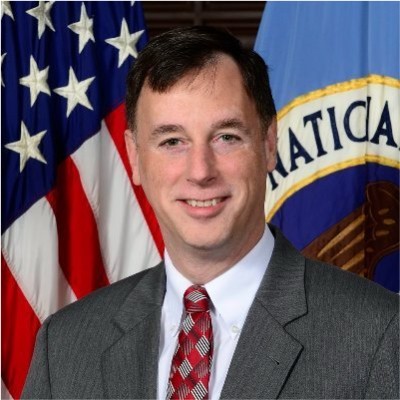
Rob Joyce
Advisor to PwC and OpenAI, Former Special Assistant to the President and Cybersecurity Coordinator

Jason Clinton
Deputy CISO, Anthropic

Amy R. Steagall
Chief Information Security Officer, Stanford University
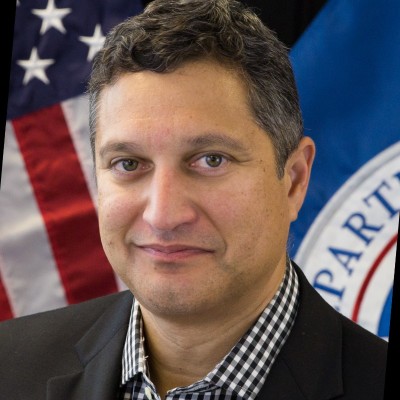
Martin Stanley
AI Risk Management Framework Lead, NIST

Apostol Vassilev
Research Supervisor, NIST

Andrew Coyne
CISO, Banner Health, Former CISO, Mayo Clinic

Kevin Rocque
Managing Director/Executive Vice President, Global Technology Risk Officer, TD Bank

Jeff Williams
Former Global OWASP Chair, Founder and CTO, Contrast Security

Michael Tran Duff
University Chief Information Security and Data Privacy Officer, Harvard University

Emil Bender Lassen
Standards Lead, AIUC-1
Agentic Skills Top 10 Founding Members
Founding members of the OWASP Agentic Skills Top 10 project itself — project leads, co-leads, and additional contributors — listed alphabetically. Several also contribute to the sibling OWASP AIVSS project listed above.
Ken Huang
Project Lead, Agentic Skills Top 10
Hammad Atta
Co-Lead, Agentic Skills Top 10

Manish Bhatt
Security Researcher, AWS
Fabio Cerullo
Co-Lead, Agentic Skills Top 10

David Girard
Senior Director, AI Security & AI Alliances, Trend Micro
Aonan Guan
Co-Lead, Agentic Skills Top 10
Bhavya Gupta
Co-Lead, Agentic Skills Top 10

Pamela Gupta
Founder & CEO, OutSecure / Trusted AI

Idan Habler
Staff AI/ML Security Researcher, Intuit
Niv Hoffman
CTO, Air Security

Charles Iheagwara
AI/ML Security Leader, AstraZeneca

Sushmitha Janapareddy
Director - Security Integrations, American Express

Edward Lee
Vice President, Lead AI Security, JP Morgan

KJ Lian
Senior Manager, Data & AI (Public Sector), AWS

Vineeth Sai Narajala
Application Security, AWS
Iftach Orr
Co-Lead, Agentic Skills Top 10

Kanna Sekar
Cyber Security, Google
Akram Sheriff
Co-Lead, Agentic Skills Top 10

Dennis Xu
Research VP, AI, Gartner
OWASP AIVSS Founding Members
The OWASP AIVSS (Agentic AI Vulnerability Scoring System) project is a sibling OWASP initiative focused on scoring the severity of agentic AI vulnerabilities. Its founding members are recognized here as OWASP founding members in the agentic AI security space; many of them have also contributed directly to the Agentic Skills Top 10 project’s research and review process.

Sunil Agrawal
Chief Information Security Officer, Glean

David Ames
Partner, PwC

Michael Bargury
Founder and CTO, Zenity

Joshua Beck
Application Security Architect, SAS
Manish Bhatt
Security Researcher, Amazon Kuiper Security

Mark Breitenbach
Security Engineer, Dropbox

Anat Bremler-Barr
Professor of Computer Science, Tel Aviv University

Siah Burke
HIPAA Security Officer, Siah.ai

David Campbell
AI Security, Scale AI

Ying-Jung Chen
AI safety researcher, PhD, Georgia Institute of Technology

Anton Chuvakin
Security Solution Strategy, Google

Jason Clinton
CISO, Anthorphic

Adam Dawson
Staff AI Security Researcher, Dreadnode

Leon Derczynski
Principal Research Scientist, NVIDIA

Walker Lee Dimon
AI Security Researcher, MITRE

Marissa Dotter
AI Security Researcher, MITRE

Dan Goldberg
ISO Market Lead, Omnicom

David Haber
CEO, Lakera
Idan Habler
Staff AI/ML Security Researcher, Intuit

Jason Haddix
Founder, Arcanum Information Security

Keith Hoodlet
Director of AI/ML & AppSec, Trail of Bits

Ken Huang
AIVSS Project Lead, OWASP

Chris Hughes
CEO, Aquia
Charles Iheagwara
AI/ML Security Leader, AstraZeneca

Krystal Jackson
Researcher, Center for Long-Term Cybersecurity, UC Berkeley
Sushmitha Janapareddy
Director - Security Integrations, American Express
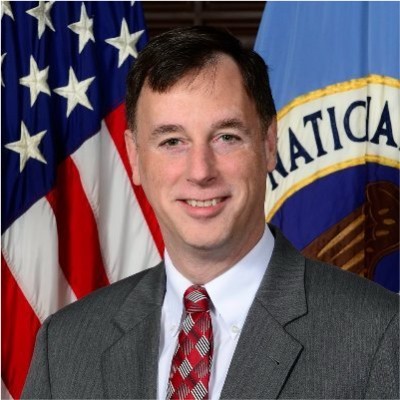
Rob Joyce
Former Cybersecurity Director of NSA, Advisor to PwC, PwC

Diana Kelley
CISO, Noma Security

Prashant Kulkarni
Lead AI Security Research Engineer, Google Cloud

Mahesh Lambe
Founder, MIT, Unify Dynamics
Edward Lee
Vice President, Lead AI Security, JP Morgan

Nate Lee
CEO, Cloudsec.ai

Vishwas Manral
CEO, Precize.ai

Daniela Muhaj
Executive-in-Residence for Research & Development, AI 2030
Vineeth Sai Narajala
Application Security, AWS

Om Narayan
AI Security Researcher, AWS

Varun Pant
Engineering and Product Leader, AI applications at the Automated Reasoning Group, AWS

Advait Patel
Senior Site Reliability Engineer (DevSecOps + Cloud + AIOps), Broadcom, IEEE

Alex Polyakov
CEO, adversa.ai
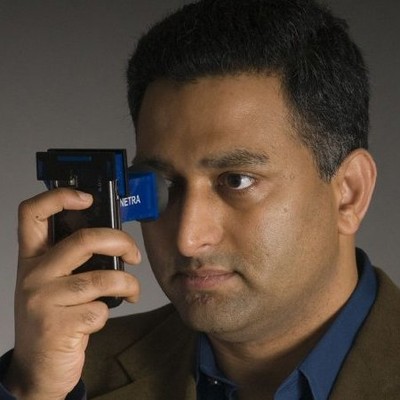
Ramesh Raskar
Professor & Director, MIT Media Lab

Ron F. Del Rosario
VP-Head of AI Security, SAP

Tal Shapira
Co-Founder & CTO, Reco AI

Akram Sheriff
Senior AI/ML Software Engineering Leader, Cisco

Samantha Siau
Security and Compliance, Anthropic

Kevin Simmonds
Partner on AI Offensive Security, PWC
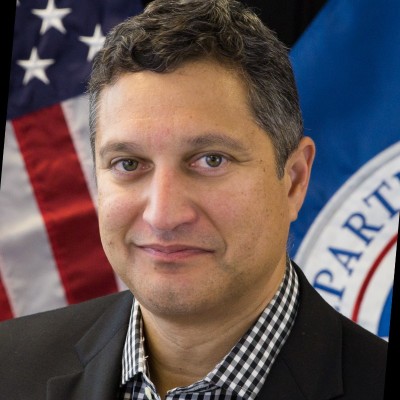
Martin Stanley
NIST AI RMF Lead, Independent

Omar A. Turner
General Manager of Security, Microsoft

Apostol Vassilev
AI Research Team Supervisor, NIST

Matthew Versaggi
AI Fellow, White House Presidential Innovation Fellow

David Webb
Agency Cybersecurity Officer, Cybersecurity and Infrastructure Security Agency
Dennis Xu
Research VP, AI, Gartner

Xiaochen Zhang
Executive Director and Chief Responsible AI Officer, AI 2030
Recognition
We extend our gratitude to all founding members who have contributed to establishing this crucial framework for AI security assessment. Their vision and dedication have been instrumental in shaping the Agentic Skills Top 10 project.
Get Involved
Interested in contributing to the Agentic Skills Top 10 project? We welcome new contributors and leaders. Please see our Contribution Guidelines for more information on how to get involved.