Training & Certification Program
AST10 Training & Certification Program
This program provides structured learning paths for understanding and securing AI agent skills, from beginner to expert levels.
Course Catalog
Level 1: Fundamentals (2-3 hours)
1.1 Introduction to AI Agent Skills
Target Audience: Security practitioners, AI developers
Learning Objectives:
- What are AI agent skills and why they matter
- Current threat landscape (2026 statistics)
- Real-world incident examples
- Business impact of skill security
Topics:
- Agent architecture and skill execution layer
- Platform overview (OpenClaw, Claude Code, Cursor, VS Code)
- AST10 framework introduction
- Case studies: ClawHavoc, ToxicSkills research
Assessment:
- 10-question quiz (70% passing)
- Discuss one case study
Estimated Time: 45 minutes Format: Video + interactive content
1.2 Understanding the 10 Risks
Target Audience: All security roles
Learning Objectives:
- Understand each of the 10 AST risks
- Recognize real-world examples
- Identify risk severity
- Understand business context
Topics Breakdown:
| Risk | Key Concept | Example |
|---|---|---|
| AST01 | Malicious Skills | ClawHavoc campaign |
| AST02 | Supply Chain | Compromised dependencies |
| AST03 | Over-Privileged | Unnecessary filesystem access |
| AST04 | Insecure Metadata | Brand impersonation |
| AST05 | Insufficient Input Validation | Command injection |
| AST06 | Improper Error Handling | Info disclosure |
| AST07 | Insecure Storage | Plaintext credentials |
| AST08 | Poor Scanning | Malware not detected |
| AST09 | Lack of Monitoring | Attacks go unnoticed |
| AST10 | MAESTRO Misalignment | Security architecture gaps |
Assessment:
- Match risks to scenarios (5 questions)
- Identify risk in code (2 code examples)
Estimated Time: 60 minutes Format: Interactive lessons + case studies
1.3 Risk Assessment Basics
Target Audience: Security auditors, developers
Learning Objectives:
- Use the risk assessment tool
- Evaluate skill security posture
- Generate risk reports
- Understand remediation priorities
Hands-On Exercise:
1. Access interactive risk assessment tool
2. Evaluate 3 sample skills
3. Generate reports for each
4. Analyze results and identify patterns
Assessment:
- Complete assessment of provided skill
- Interpret risk report
- Recommend 3 mitigations
Estimated Time: 45 minutes Format: Interactive tool + exercises
Level 2: Intermediate (4-6 hours)
2.1 Secure Skill Development
Target Audience: Skill developers
Learning Objectives:
- Design secure skills from the start
- Implement secure coding practices
- Perform security review
- Test for vulnerabilities
Topics:
- Security-First Design (30 min)
- Threat modeling
- Permission design
- Data flow analysis
- Secure Implementation (60 min)
- Input validation patterns
- Error handling strategies
- Secure data storage
- Code examples in Python, JavaScript, YAML
- Testing & Verification (45 min)
- Unit testing security scenarios
- Integration testing
- Automated security scanning
- Static analysis tools
- Code Review (30 min)
- Security review checklist
- Peer review process
- Common vulnerabilities to spot
Hands-On Labs:
Lab 1: Vulnerable Skill Analysis
- Provided: Skill with 3 security issues
- Task: Identify vulnerabilities
- Submit: Fixed version

Lab 2: Secure Implementation
- Provided: Skill requirements
- Task: Implement securely
- Submit: Code + documentation

Lab 3: Security Testing
- Provided: Skill + test framework
- Task: Write security tests
- Submit: Test suite
Assessment:
- Complete coding exercise
- Pass code review checklist
- 80% on knowledge quiz
Estimated Time: 6 hours Format: Video lessons + hands-on labs
2.2 Platform-Specific Security
Target Audience: Skill developers for specific platforms
Courses:
2.2a OpenClaw Security (2 hours)
- SKILL.md structure and best practices
- Permission model deep dive
- ClawHub publishing process
- Security review requirements
2.2b Claude Code Security (2 hours)
- skill.json configuration
- Capability-based security
- Integration with Claude
- Anthropic marketplace guidelines
2.2c Cursor Security (2 hours)
- manifest.json structure
- Cursor IDE integration
- Performance considerations
- Cursor Registry publishing
2.2d VS Code Security (2 hours)
- package.json configuration
- Extension security model
- Workspace trust
- VS Code Marketplace guidelines
Estimated Time: 2 hours per platform Format: Video tutorials + platform-specific labs
2.3 Security Scanning & Automation
Target Audience: DevSecOps, platform operators
Learning Objectives:
- Implement automated security scanning
- Set up CI/CD pipelines
- Configure alerting and monitoring
- Generate compliance reports
Topics:
- AST10-Scanner Setup (30 min)
- Installation and configuration
- Running scans
- Interpreting reports
- CI/CD Integration (60 min)
- GitHub Actions workflow
- GitLab CI/CD
- Custom integrations
- Pre-commit hooks
- Monitoring & Response (45 min)
- Security alerting
- Incident response
- Trend analysis
- Metrics dashboards
Hands-On Labs:
Lab 1: Scanner Setup
- Install AST10-Scanner
- Configure for your platform
- Scan sample skills

Lab 2: CI/CD Pipeline
- Create GitHub Actions workflow
- Configure security gates
- Test with sample skills

Lab 3: Metrics & Alerting
- Set up monitoring
- Configure alerts
- Generate reports
Assessment:
- Successful pipeline setup
- Scan multiple skills
- Configure alerts
- 75%+ on monitoring quiz
Estimated Time: 2.5 hours Format: Video tutorials + hands-on labs
Level 3: Advanced (8-10 hours)
3.1 Threat Modeling for Agent Skills
Target Audience: Security architects
Learning Objectives:
- Perform threat modeling for skills
- Identify novel attack vectors
- Design defense strategies
- Document security architecture
Topics:
- STRIDE Methodology (45 min)
- Spoofing attacks on skills
- Tampering with skill execution
- Repudiation in skill logs
- Information disclosure
- Denial of service
- Elevation of privilege
- Attack Trees (45 min)
- Building attack trees for skills
- Identifying root causes
- Prioritizing mitigations
- Security Architecture (60 min)
- Designing secure skill pipelines
- Defense-in-depth strategies
- Incident response design
Case Studies:
- Threat model for ClawHavoc-like attacks
- Defense strategies against supply chain attacks
- Zero-day skill exploitation prevention
Assessment:
- Complete threat model for skill
- Create attack tree
- Design mitigation strategy
- Present findings
Estimated Time: 3 hours Format: Lectures + group exercises
3.2 Advanced Vulnerability Research
Target Audience: Security researchers
Learning Objectives:
- Discover new vulnerability types
- Develop proof-of-concept exploits
- Responsibly disclose findings
- Contribute to threat intelligence
Topics:
- Vulnerability Discovery (90 min)
- Static analysis techniques
- Dynamic analysis
- Fuzzing skills
- Code review expertise
- Exploit Development (90 min)
- Building exploits safely
- Testing in sandbox
- Proof-of-concept documentation
- Responsible disclosure
- Threat Intelligence (45 min)
- Contributing findings
- Working with platforms
- Publication and citation
Research Project:
- Identify vulnerability class
- Develop discovery method
- Create PoC
- Write paper/disclosure
- Present findings
Assessment:
- Complete research project
- Security review of work
- Presentation
- Peer feedback
Estimated Time: 4 hours (plus project) Format: Workshops + guided research
3.3 Architecture & Governance
Target Audience: Platform architects, governance leads
Learning Objectives:
- Design secure skill ecosystems
- Implement governance frameworks
- Plan incident response
- Build compliance programs
Topics:
- Ecosystem Architecture (60 min)
- Registry design
- Approval workflows
- Scanning infrastructure
- Isolation strategies
- Governance & Policy (75 min)
- Publisher certification
- Content policies
- Dispute resolution
- Community guidelines
- Incident Response (60 min)
- Malware detection
- Rapid response
- Skill removal
- Post-incident analysis
- Compliance & Audit (45 min)
- Compliance frameworks
- Audit procedures
- Certification maintenance
Capstone Project: Design complete security governance for skill platform
Assessment:
- Architecture design document
- Governance policy document
- Incident response plan
- Presentation to peers
Estimated Time: 4 hours + capstone (2 weeks) Format: Lectures + capstone project
Certification Tracks
AST10 Security Analyst (Practitioner)
Requirements:
- ✅ Level 1 courses (3 courses)
- ✅ Level 2.1: Secure Development (2 hours)
- ✅ Pass assessment: 80%+
- ✅ Submit: one security audit report
Qualifies for:
- Security auditing
- Risk assessment
- Skill review
- Vulnerability reporting
Credential: AST10-SA (Analyst)
AST10 Security Engineer (Developer)
Requirements:
- ✅ All of Analyst requirements, plus:
- ✅ Level 2: Complete (2.1, 2.2, 2.3)
- ✅ Pass assessments: 85%+
- ✅ Submit: Secure skill project (peer reviewed)
Qualifies for:
- Skill development
- Technology consulting
- Training and mentoring
- Platform development
Credential: AST10-SE (Engineer)
AST10 Security Architect (Advanced)
Requirements:
- ✅ All of Engineer requirements, plus:
- ✅ Level 3: Complete (3.1, 3.2, 3.3)
- ✅ Pass capstone: 90%+ with distinction
- ✅ Publish: Security research or architecture design
- ✅ Mentor: 2+ junior developers
Qualifies for:
- Architecture and design
- Threat modeling
- Governance and policy
- Research and publication
- Conference speaking
Credential: AST10-SA (Architect)
Getting Started
Recommended Paths by Role
Security Practitioners
Week 1: Level 1 (Fundamentals)
  - Course 1.1: Introduction (45 min)
  - Course 1.2: 10 Risks (60 min)
  - Course 1.3: Assessment (45 min)

Week 2: AST10-SA Certification
  - Course 2.1: Secure Development (60 min overview)
  - Security audit project
  - Assessment & certification
Skill Developers
Week 1-2: Level 1 (Fundamentals)
  - All Level 1 courses
  - Risk assessment exercises

Week 3-4: Level 2 (Intermediate)
  - Course 2.1: Secure Development (full)
  - Platform-specific course (2.2a-2.2d)
  - Hands-on labs

Week 5: AST10-SE Certification
  - Develop and audit secure skill
  - Code review and certification
Platform Operators
Week 1: Level 1 (Fundamentals)
Week 2: Level 2.3 (CI/CD Integration)
Week 3-4: Level 3.3 (Governance)
Result: Architecture and governance capability
Enrollment
- Register at OWASP Learning Platform
- Complete recommended path for your role
- Pass assessments (70%+ for Analyst, 85%+ for Engineer, 90%+ for Architect)
- Submit project work
- Receive credential and certificate
Cost
- Level 1 Courses: Free (public learning)
- Level 2 Courses: $99 per course (OWASP member: $49)
- Level 3 Courses: $199 per course (OWASP member: $99)
- Certification Exam: $49 (Analyst), $99 (Engineer), $199 (Architect)
OWASP members receive 50% discount on all paid courses.
Continuing Education
Once certified, maintain credential by:
- Completing annual refresher (2 hours)
- Staying current with emerging threats
- Participating in community
- Publishing research or contributions
Training program updated March 2026. New courses added regularly.
Example
Put whatever you like here: news, screenshots, features, supporters, or remove this file and don’t use tabs at all.
Leadership & Founding Members
Project Leadership
Current Leaders

Ken Huang



Hammad Atta

Fabio Cerullo

Aonan Guan

Bhavya Gupta

Niv Hoffman

Iftach Orr

Akram Sheriff
AIVSS Distinguished Review Board
The OWASP AIVSS project’s Distinguished Review Board comprises world-renowned cybersecurity leaders, former government officials, and industry pioneers who provide strategic guidance and expert oversight for the AI Vulnerability Scoring System framework. We thank them for their guidance, several of whom have also supported this project’s work.

Rob Joyce
Advisor to PwC and OpenAI, Former Special Assistant to the President and Cybersecurity Coordinator

Jason Clinton
Deputy CISO, Anthropic

Amy R. Steagall
Chief Information Security Officer, Stanford University

Martin Stanley
AI Risk Management Framework Lead, NIST
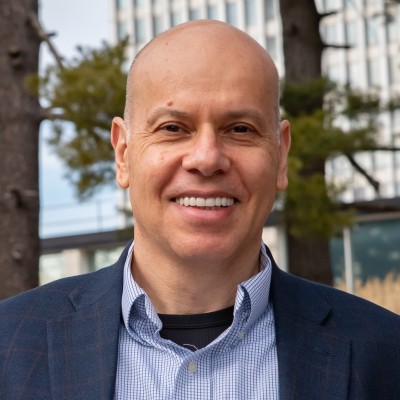
Apostol Vassilev
Research Supervisor, NIST

Andrew Coyne
CISO, Banner Health, Former CISO, Mayo Clinic

Kevin Rocque
Managing Director/Executive Vice President, Global Technology Risk Officer, TD Bank

Jeff Williams
Former Global OWASP Chair, Founder and CTO, Contrast Security

Michael Tran Duff
University Chief Information Security and Data Privacy Officer, Harvard University

Emil Bender Lassen
Standards Lead, AIUC-1
Agentic Skills Top 10 Founding Members
Founding members of the OWASP Agentic Skills Top 10 project itself — project leads, co-leads, and additional contributors — listed alphabetically. Several also contribute to the sibling OWASP AIVSS project listed above.
Ken Huang
Project Lead, Agentic Skills Top 10
Hammad Atta
Co-Lead, Agentic Skills Top 10

Manish Bhatt
Security Researcher, AWS
Fabio Cerullo
Co-Lead, Agentic Skills Top 10

David Girard
Senior Director, AI Security & AI Alliances, Trend Micro
Aonan Guan
Co-Lead, Agentic Skills Top 10
Bhavya Gupta
Co-Lead, Agentic Skills Top 10

Pamela Gupta
Founder & CEO, OutSecure / Trusted AI

Idan Habler
Staff AI/ML Security Researcher, Intuit
Niv Hoffman
CTO, Air Security

Charles Iheagwara
AI/ML Security Leader, AstraZeneca

Sushmitha Janapareddy
Director - Security Integrations, American Express

Edward Lee
Vice President, Lead AI Security, JP Morgan

KJ Lian
Senior Manager, Data & AI (Public Sector), AWS
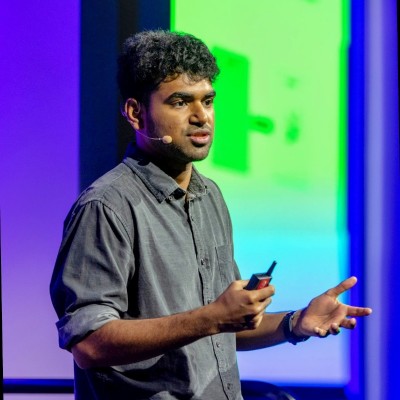
Vineeth Sai Narajala
Application Security, AWS
Iftach Orr
Co-Lead, Agentic Skills Top 10

Kanna Sekar
Cyber Security, Google
Akram Sheriff
Co-Lead, Agentic Skills Top 10

Dennis Xu
Research VP, AI, Gartner
OWASP AIVSS Founding Members
The OWASP AIVSS (Agentic AI Vulnerability Scoring System) project is a sibling OWASP initiative focused on scoring the severity of agentic AI vulnerabilities. Its founding members are recognized here as OWASP founding members in the agentic AI security space; many of them have also contributed directly to the Agentic Skills Top 10 project’s research and review process.

Sunil Agrawal
Chief Information Security Officer, Glean

David Ames
Partner, PwC

Michael Bargury
Founder and CTO, Zenity

Joshua Beck
Application Security Architect, SAS
Manish Bhatt
Security Researcher, Amazon Kuiper Security

Mark Breitenbach
Security Engineer, Dropbox

Anat Bremler-Barr
Professor of Computer Science, Tel Aviv University

Siah Burke
HIPAA Security Officer, Siah.ai

David Campbell
AI Security, Scale AI

Ying-Jung Chen
AI safety researcher, PhD, Georgia Institute of Technology

Anton Chuvakin
Security Solution Strategy, Google

Jason Clinton
CISO, Anthorphic

Adam Dawson
Staff AI Security Researcher, Dreadnode

Leon Derczynski
Principal Research Scientist, NVIDIA

Walker Lee Dimon
AI Security Researcher, MITRE

Marissa Dotter
AI Security Researcher, MITRE

Dan Goldberg
ISO Market Lead, Omnicom

David Haber
CEO, Lakera
Idan Habler
Staff AI/ML Security Researcher, Intuit

Jason Haddix
Founder, Arcanum Information Security

Keith Hoodlet
Director of AI/ML & AppSec, Trail of Bits

Ken Huang
AIVSS Project Lead, OWASP

Chris Hughes
CEO, Aquia
Charles Iheagwara
AI/ML Security Leader, AstraZeneca

Krystal Jackson
Researcher, Center for Long-Term Cybersecurity, UC Berkeley
Sushmitha Janapareddy
Director - Security Integrations, American Express

Rob Joyce
Former Cybersecurity Director of NSA, Advisor to PwC, PwC

Diana Kelley
CISO, Noma Security
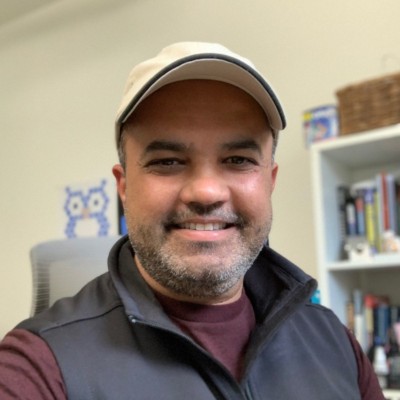
Prashant Kulkarni
Lead AI Security Research Engineer, Google Cloud

Mahesh Lambe
Founder, MIT, Unify Dynamics
Edward Lee
Vice President, Lead AI Security, JP Morgan

Nate Lee
CEO, Cloudsec.ai

Vishwas Manral
CEO, Precize.ai

Daniela Muhaj
Executive-in-Residence for Research & Development, AI 2030
Vineeth Sai Narajala
Application Security, AWS

Om Narayan
AI Security Researcher, AWS

Varun Pant
Engineering and Product Leader, AI applications at the Automated Reasoning Group, AWS

Advait Patel
Senior Site Reliability Engineer (DevSecOps + Cloud + AIOps), Broadcom, IEEE

Alex Polyakov
CEO, adversa.ai

Ramesh Raskar
Professor & Director, MIT Media Lab

Ron F. Del Rosario
VP-Head of AI Security, SAP

Tal Shapira
Co-Founder & CTO, Reco AI

Akram Sheriff
Senior AI/ML Software Engineering Leader, Cisco

Samantha Siau
Security and Compliance, Anthropic

Kevin Simmonds
Partner on AI Offensive Security, PWC

Martin Stanley
NIST AI RMF Lead, Independent

Omar A. Turner
General Manager of Security, Microsoft
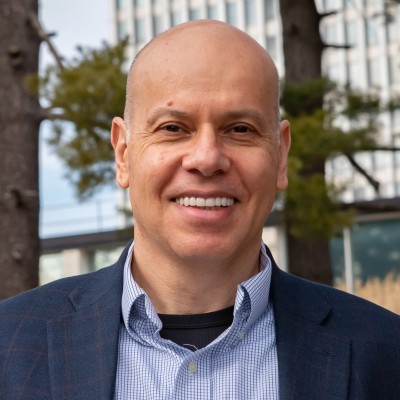
Apostol Vassilev
AI Research Team Supervisor, NIST

Matthew Versaggi
AI Fellow, White House Presidential Innovation Fellow

David Webb
Agency Cybersecurity Officer, Cybersecurity and Infrastructure Security Agency
Dennis Xu
Research VP, AI, Gartner

Xiaochen Zhang
Executive Director and Chief Responsible AI Officer, AI 2030
Recognition
We extend our gratitude to all founding members who have contributed to establishing this crucial framework for AI security assessment. Their vision and dedication have been instrumental in shaping the Agentic Skills Top 10 project.
Get Involved
Interested in contributing to the Agentic Skills Top 10 project? We welcome new contributors and leaders. Please see our Contribution Guidelines for more information on how to get involved.