OWASP VulnerableApp

OWASP VulnerableApp OWASP VulnerableApp

OWASP Incubator License Java CI with Gradle PRs Welcome Docker Pulls codecov

Break it. Scan it. Reproduce it. Improve it.

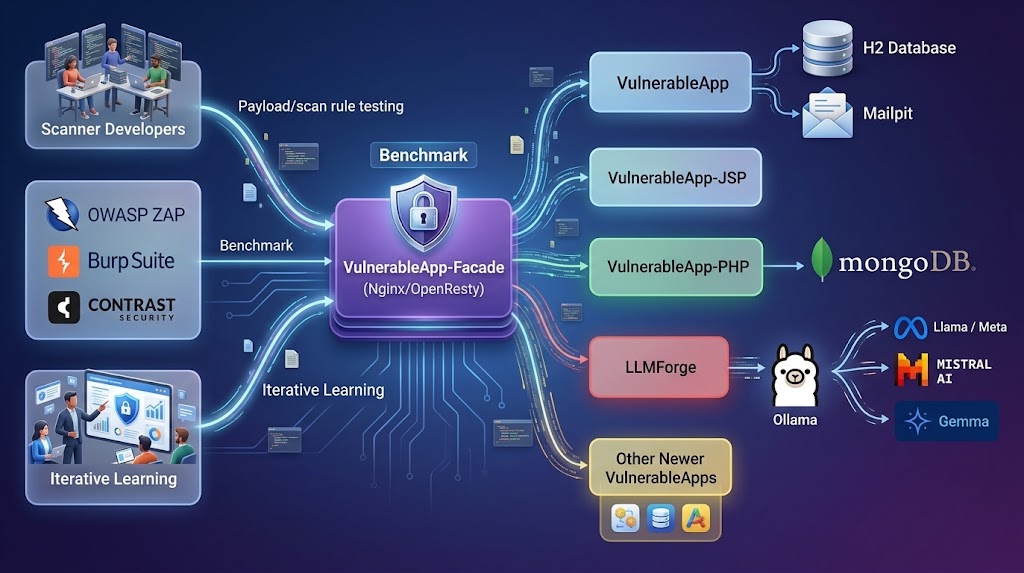
OWASP VulnerableApp is a modular deliberately vulnerable application designed primarily for validating and benchmarking security scanners through reproducible test scenarios, while also supporting learning and experimentation.

๐Ÿ” What makes it different

Unlike traditional vulnerable applications, VulnerableApp is designed as a testable security ecosystem, not a static training app.

It enables:

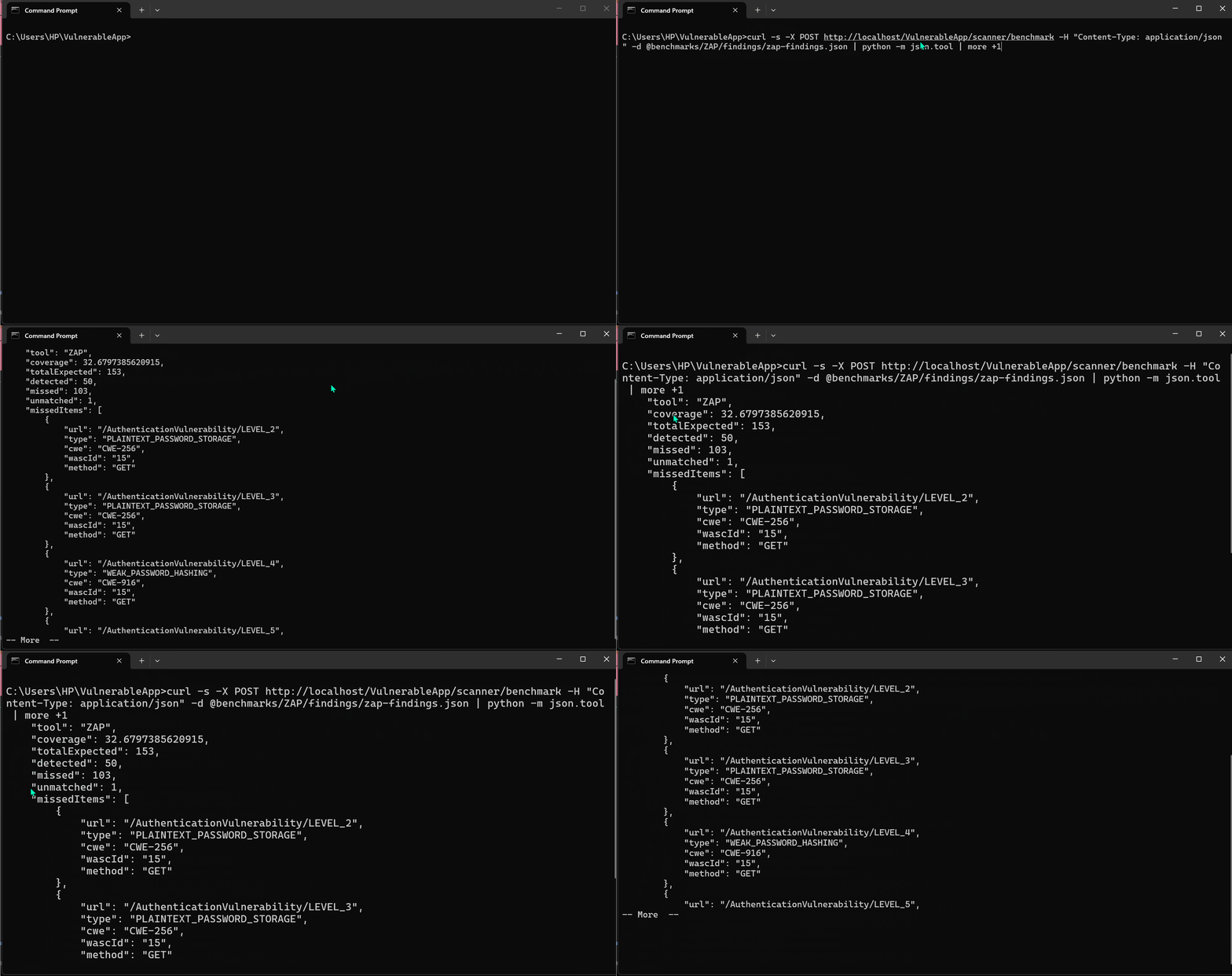
  • ๐Ÿ”ฌ Scanner benchmarking for tools like Burp Suite, OWASP ZAP, and custom DAST engines
  • ๐Ÿงฉ Modular vulnerability design that allows new scenarios without modifying core services
  • ๐Ÿ“Š Security regression testing across releases and environments
  • ๐ŸŽฏ Realistic attack surface simulation for modern web application patterns
  • ๐Ÿงช Deterministic vulnerability behavior for repeatable scanning results
  • ๐Ÿง  Built for security engineers, researchers, and educators

VulnerableApp helps you:

  • Validate how security tools behave across known vulnerability patterns
  • Build controlled environments for security experimentation
  • Extend vulnerability coverage as new attack techniques emerge
  • Run consistent, repeatable security testing pipelines

โš™๏ธ Why it matters

Most vulnerable apps are:

  • Static
  • Hard to extend
  • Designed only for manual learning

VulnerableApp is built for:

automation, reproducibility, and evolution
User Interface

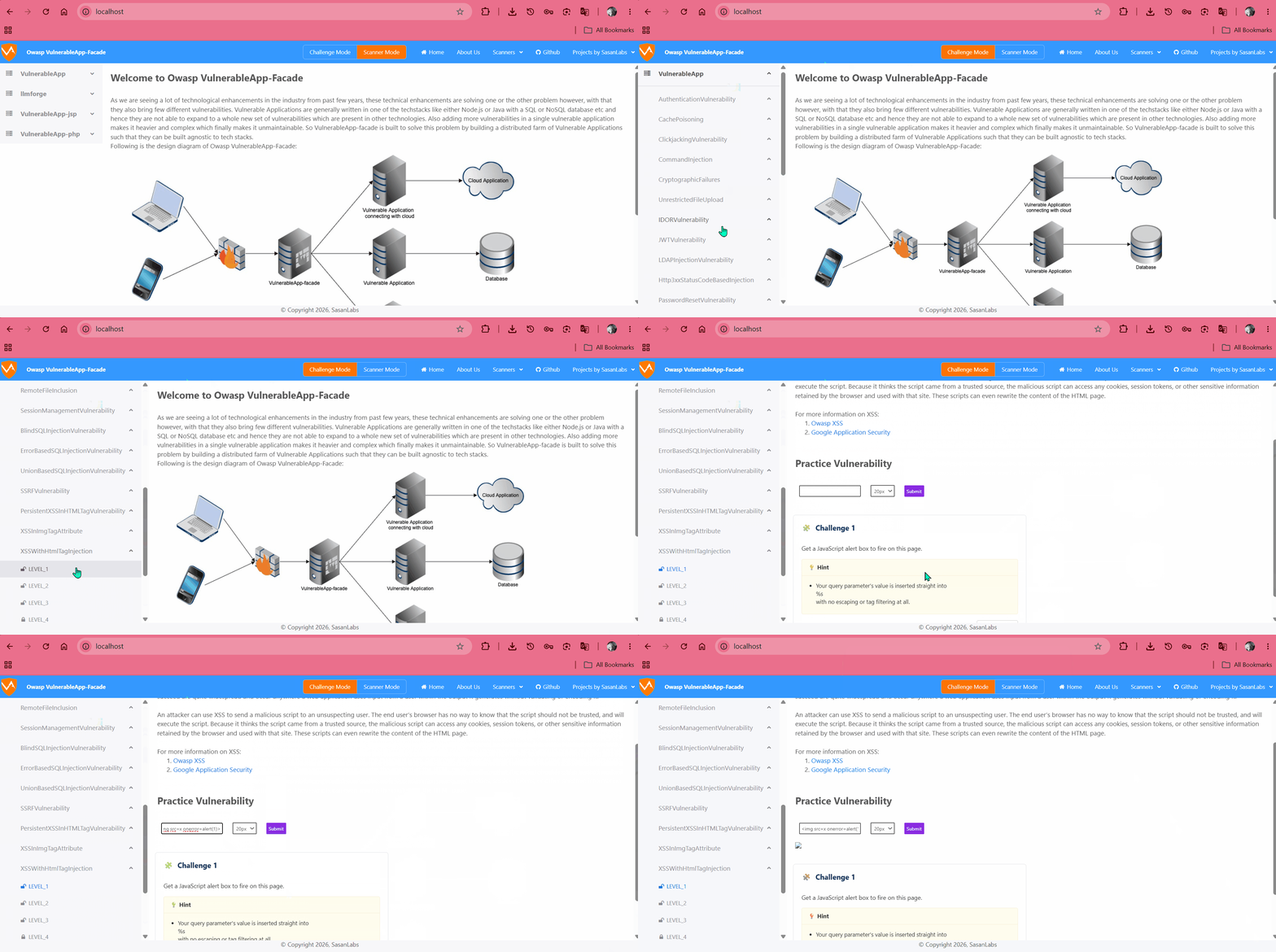
VulnerableApp-facade UI

Running the project

There are 2 ways to run the project:

  1. The simplest way to run the project is using Docker containers which will run the full-fleged VulnerableApplication with all the components. For running as Docker application, follow following steps:
    1. Download and Install Docker Compose
    2. Clone this Github repository
    3. Open the terminal and Navigate to the Project root directory
    4. Run the command docker-compose pull && docker-compose up
    5. Navigate to browser and visit http://localhost and this will give the User Interface for VulnerableApp.

    Note: The above steps will run the latest unreleased VulnerableApp version. If you want to run the latest released version, please use docker latest tag.

  2. Another way to run the VulnerableApp is as standalone Vulnerable Application is:
    1. Navigate to Releases Section in github and download the Jar for the latest released version
    2. Open the terminal and navigate to the project root directory
    3. Run the command java -jar VulnerableApp-*
    4. Navigate to browser and visit http://localhost:9090/VulnerableApp. This will give the Legacy User Interface for the VulnerableApp.

Building the project

There are 2 ways in which this project can be built and used:

  1. As a Docker application which will help in running the full-fledged VulnerableApplication. For running as Docker application, follow following steps:
    1. Build the docker image by running ./gradlew jibDockerBuild
    2. Download Docker-Compose and run in the same directory docker-compose up
    3. Navigate to browser and visit http://localhost and this will give the User Interface for VulnerableApp.
  2. As a SpringBoot application which will run with the Legacy UI or Rest API but gives the benefit of debugging and solving issues. This is the simple way,
    1. Import the project into your favorite IDE and run it
    2. Navigate to browser and visit: http://localhost:9090/VulnerableApp and this will give the Legacy User Interface for VulnerableApp which you can use to debug and test.

Contributing to Project

There are multiple ways in which you can contribute to the project:

  1. If you are a developer and trying to start on to the project, then the suggestion is to go through the list of issues which contains good first issue which can be a good starter.
  2. If you are a developer or a security professional looking to add new Vulnerability type then you can Generate the Sample Vulnerability by running ./gradlew GenerateSampleVulnerability. It will generate the Sample Vulnerability template which has placeholders and comments. Modified files can be seen in the logs of the command or in the github history. You can navigate to those files, fill in the placeholders and then build the project to see the effect of the changes.
  3. In case you are looking to contribute to the project by publicising it or working on the growth of the project, please feel free to add your thoughts to discussions section or issues and we can discuss over them.

Technologies used

  • Java17
  • Spring Boot
  • ReactJS
  • Javascript/TypeScript

Connecting to embedded H2 database

For accessing database from browser, visit: http://localhost:9090/VulnerableApp/h2

Database Connection properties:

JDBC Url: jdbc:h2:mem:testdb
User Name: admin
Password: hacker

Testing with Modern UI

VulnerableApp-facade provides a modern UI for VulnerableApp. To test your local changes with the Modern UI:

  1. Prerequisite: Ensure you have Docker and Docker-Compose installed.
  2. Run Testing Script:
    • On Windows: .\scripts\testWithModernUI.bat
    • On Linux/Mac: ./scripts/testWithModernUI.sh

This script will build your local changes into a Docker image (sasanlabs/owasp-vulnerableapp:unreleased) and start the full stack (including facade, jsp, and php services) using docker-compose.local.yml.

  1. Access the UI: Navigate to http://localhost to see the modern UI with your changes.

Currently handled Vulnerability types

  1. JWT Vulnerability
  2. Command Injection
  3. Cryptography Failures
  4. File Upload Vulnerability
  5. Path Traversal Vulnerability
  6. SQL Injection
    1. Error Based SQLi
    2. Union Based SQLi
    3. Blind SQLi
  7. XSS
    1. Persistent XSS
    2. Reflected XSS
  8. XXE
  9. Open Redirect
    1. Http 3xx Status code based
  10. SSRF
  11. IDOR
  12. Clickjacking
  13. LDAP Injection
  14. Authentication Vulnerability

Contact

In case you are stuck with any of the steps or understanding anything related to project and its goals, feel free to shoot a mail at [email protected] or raise an issue and we will try our best to help you.

Documentation and References

  1. Documentation
  2. Design Documentation
  3. Owasp VulnerableApp
  4. Overview video for OWASP Spotlight series
  5. Overview Video

Blogs

  1. Overview of Owasp-VulnerableApp - Medium article
  2. Overview of Owasp-VulnerableApp - Blogspot post
  3. Introduction to Owasp VulnerableApp by Kenji Nakajima
  4. Gen AI based platform Shannon exploiting VulnerableApp

Usage of OWASP VulnerableApp

  1. View Global Academic Interest

Troubleshooting references

  1. Reddit exploiting SQL Injection Vulnerability

Readme in other languages

  1. Russian
  2. Chinese
  3. Hindi
  4. Punjabi

Roadmap

Vision for the project:

The overall vision for the project is to implement a Platform capability such that it is easier to write vulnerable code and exposing that through an API and UI.

Usage of the project:

This Project mainly targets 4 type of audience:

  • Developers of Vulnerability Scanning tools
  • New Vulnerability finders (for faster demonstration of the vulnerability)
  • Security enthusiasts, Students who want to learn more about Security
  • CTF organizers (A Platform to Host CTF by choosing vulnerabilities present in the project)

Initial high level plan:

Basic idea for this project is to build an extensible framework which is driven by the configuration and developers who want to introduce new vulnerable code into the project need to do minimal boilerplate code and also the learning curve for configurations is minimum.

Looking at it, the first approach which comes into my mind is to give a framework similar to Spring i.e. something like annotation driven framework for including a vulnerability type and also for adding a new vulnerability to existing vulnerability type and also adding User Interface for the same.

  • Milestone 1: Alpha release - Building extensible backend Platform
  • Milestone 2: Beta release - Building extensible User Interface
  • Milestone 3: Gamma release - Addition of 50 vulnerabilities using the above mentioned Platform
  • Milestone 4: Release 1
  • Milestone 5: Dev lifecycle integration

Current State

For know about the current state please go to Git Repository and also visit issues section for new enhancements,tech-debts and bugs.

Timeframes

This is hard to estimate as this depends on the number of contributers but as of now i had already build some of the pieces of Backend platform and i have started building frontend platform but addition of 50 vulnerabilities can take quite a lot time. So Plan is to release this Project is near July 31 2020.

Technology

Technologies used in this project are:

Majorly:

  1. Java-8
  2. SpringBoot
  3. Vanilla Javascript
  4. Vanilla CSS

But we are not limited to above technologies and can extend to new Horizons. Incase you have any idea on technology and how it can suit us, please reach out to us on our Slack-Channel.

Challenges

There are many, please visit Issues for more information.