WSTG - Latest
Conduct Search Engine Discovery Reconnaissance for Information Leakage
| ID |
|---|
| WSTG-INFO-01 |
Summary
In order for search engines to work, computer programs (or robots) regularly fetch data (referred to as crawling) from billions of pages on the web. These programs find web content and functionality by following links from other pages, or by looking at sitemaps. If a site uses a special file called robots.txt to list pages that it does not want search engines to fetch, then the pages listed there will be ignored. This is a basic overview - Google offers a more in-depth explanation of how a search engine works.
Testers can use search engines to perform reconnaissance on sites and web applications. There are direct and indirect elements to search engine discovery and reconnaissance: direct methods relate to searching the indices and the associated content from caches, while indirect methods relate to learning sensitive design and configuration information by searching forums, newsgroups, and tendering sites.
Once a search engine robot has completed crawling, it commences indexing the web content based on tags and associated attributes, such as <TITLE>, in order to return relevant search results. If the robots.txt file is not updated during the lifetime of the site, and in-line HTML meta tags that instruct robots not to index content have not been used, then it is possible for indices to contain web content not intended to be included by the owners. Site owners may use the previously mentioned robots.txt, HTML meta tags, authentication, and tools provided by search engines to remove such content.
Test Objectives
- Identify what sensitive design and configuration information of the application, system, or organization is exposed directly (on the organization’s site) or indirectly (via third-party services).
How to Test
Use a search engine to search for potentially sensitive information. This may include:
- network diagrams and configurations;
- archived posts and emails by administrators or other key staff;
- logon procedures and username formats;
- usernames, passwords, and private keys;
- third-party, or cloud service configuration files;
- revealing error message content; and
- non-public applications (development, test, User Acceptance Testing (UAT), and staging versions of sites).
Search Engines
Do not limit testing to just one search engine provider, as different search engines may generate different results. Search engine results can vary in a few ways, depending on when the engine last crawled content, and the algorithm the engine uses to determine relevant pages. Consider using the following (alphabetically listed) search engines:
- Baidu, China’s most popular search engine.
- Bing, a search engine owned and operated by Microsoft, and the second most popular worldwide. Supports advanced search keywords.
- binsearch.info, a search engine for binary Usenet newsgroups.
- Common Crawl, “an open repository of web crawl data that can be accessed and analyzed by anyone.”
- DuckDuckGo, a privacy-focused search engine that compiles results from many different sources. Supports search syntax.
- Google, which offers the world’s most popular search engine, and uses a ranking system to attempt to return the most relevant results. Supports search operators.
- Internet Archive Wayback Machine, “building a digital library of internet sites and other cultural artifacts in digital form.”
- Censys is a security-focused search engine that indexes internet-connected infrastructure including servers, certificates,and open services. It offers a free community tier with limited monthly credits and paid plans for enterprise use.
- Shodan, a service for searching internet-connected devices and services. Usage options include a limited free plan as well as paid subscription plans.
Search Operators
A search operator is a special keyword or syntax that extends the capabilities of regular search queries, and can help obtain more specific results. They generally take the form of operator:query. Here are some commonly supported search operators:
site:will limit the search to the provided domain.inurl:will only return results that include the keyword in the URL.intitle:will only return results that have the keyword in the page title.intext:orinbody:will only search for the keyword in the body of pages.filetype:will match only a specific file type, i.e..png, or.php.
For example, to find the web content of owasp.org as indexed by a typical search engine, the syntax required is:
site:owasp.org
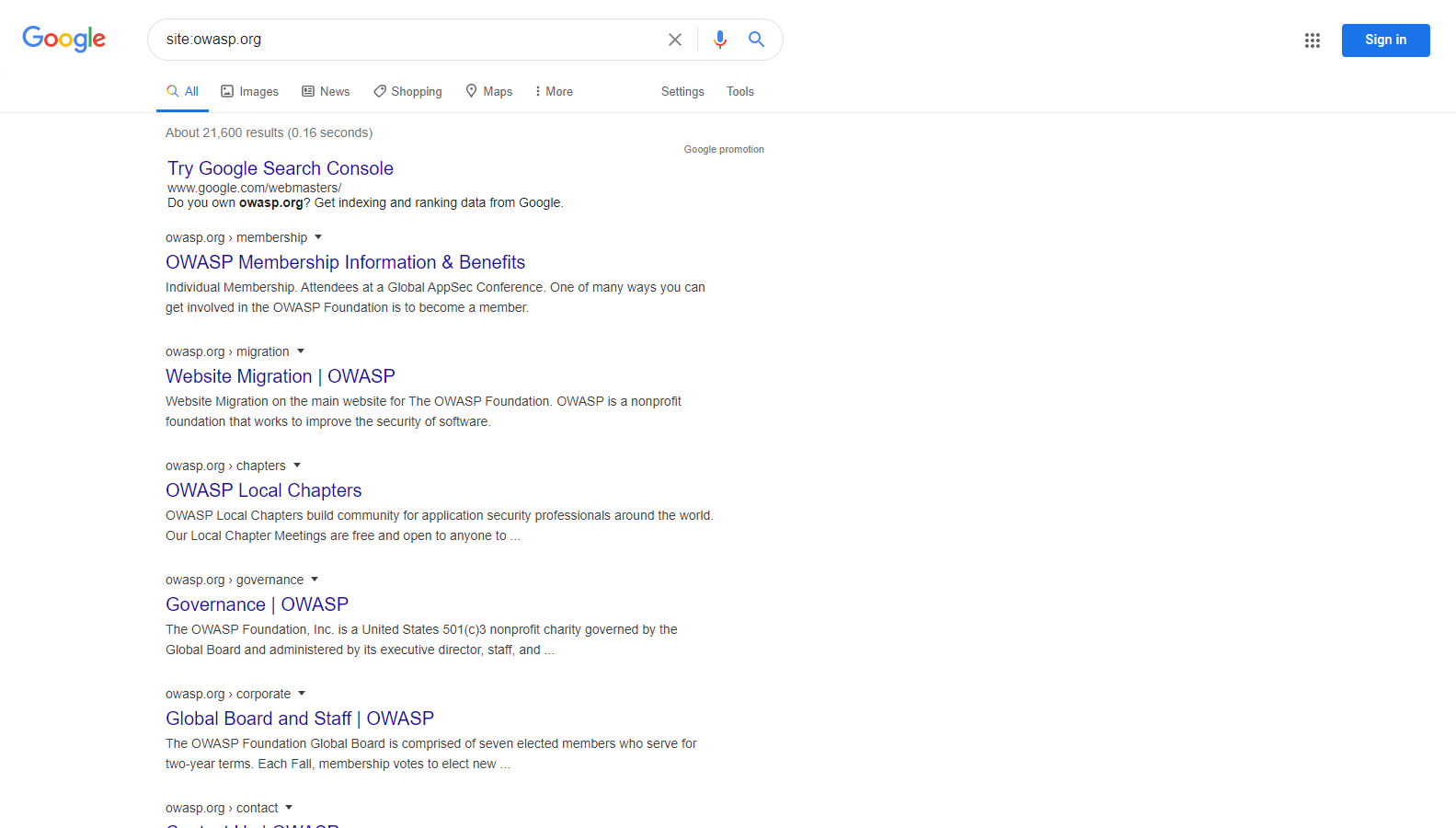
Figure 4.1.1-1: Google Site Operation Search Result Example
Internet Archive Wayback Machine
The Internet Archive Wayback Machine is the most comprehensive tool for viewing historical snapshots of web pages. It maintains an extensive archive of web pages dating back to 1996.
To view archived versions of a site, visit https://web.archive.org/web/*/
followed by the target URL:
https://web.archive.org/web/*/owasp.org
This will display a calendar view showing all available snapshots of the site over time.
Other Cached Content Services
Additional services for viewing cached or archived web pages include:
- archive.ph (also known as archive.md) - On-demand archiving service that creates permanent snapshots
- CachedView - Aggregates cached pages from multiple sources including Google Cache historical data, Wayback Machine, and others
Google Hacking or Dorking
Searching with operators can be a very effective discovery technique when combined with the creativity of the tester. Operators can be chained to effectively discover specific kinds of sensitive files and information. This technique, called Google hacking or Dorking, is also possible using other search engines, as long as the search operators are supported.
A database of dorks, like the Google Hacking Database, is a useful resource that can help uncover specific information. AI-assisted query generators such as DorkGPT can translate natural language prompts into Google dork syntax, reducing the manual effort of constructing complex search operators. Some categories of dorks available on this database include:
- Footholds
- Files containing usernames
- Sensitive Directories
- Web Server Detection
- Vulnerable Files
- Vulnerable Servers
- Error Messages
- Files containing juicy info
- Files containing passwords
- Sensitive Online Shopping Info
OSINT Correlation Tools
Beyond individual search engines, testers can use dedicated OSINT frameworks to correlate and visualize relationships between discovered entities:
Maltego is an industry-standard OSINT and link analysis platform that maps relationships between domains, IP addresses, email addresses, and organizations through automated data transforms. Testers use it to visualize an organization’s attack surface by pivoting from a single entity to discover related infrastructure and associated data points. A free Community Edition is available for non-commercial use.
Remediation
Carefully consider the sensitivity of design and configuration information before it is posted online.
Periodically review the sensitivity of existing design and configuration information that is posted online.